Second generation (2007-2026)
Changing the Pairing Code
In this manual: Second generation (2007-2026)
~1min read
 PHONE button
► Phone Setup ► Add/Select a phone
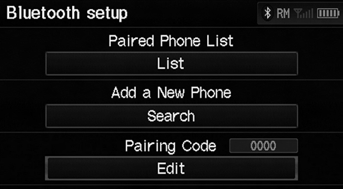
1. Select Edit under Pairing Code.
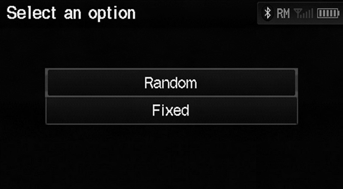
2. Select an item.
The following items are available:
• Random: Uses a randomly generated pairing code. • Fixed: Create your own pairing code.
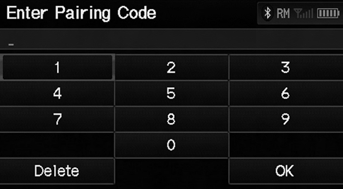
3. If you select Fixed, enter a new pairing code. Select OK.
► Select Delete to remove the current pairing code.
Test yourself
A quick Honda Fit quiz: every answer comes with an explanation and a link to the manual page.
Was this page helpful?