Second generation (2007-2026)
Changing the Currently Paired Phone
In this manual: Second generation (2007-2026)
~1min read
 PHONE button
► Phone Setup ► Add/Select a phone
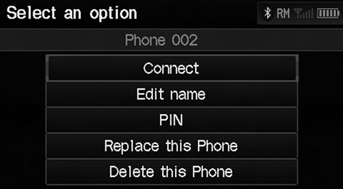
1. Select List under Paired Phone List. 2. Select a phone to connect. 3. Select Connect.
► HFL disconnects the linked phone and starts connecting to another paired phone.
If no other phones are found or paired when trying to switch to another phone, HFL will inform you that the original phone is linked again.
Test yourself
A quick Honda Fit quiz: every answer comes with an explanation and a link to the manual page.
Was this page helpful?