Speed limiter system (if equipped)
Speed limiter operation
You can set a limit if you do not want to exceed a certain speed.
If the preset speed limit is exceeded, the warning system activates (the set speed limit flashes and a sound is emitted) until the vehicle speed returns within the limit.
NOTE
While the speed limiter is operating, the cruise control cannot be activated.
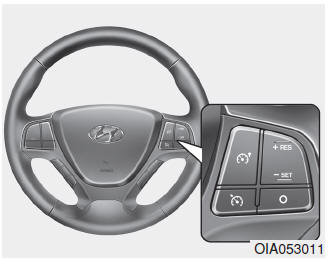
Speed limiter switch
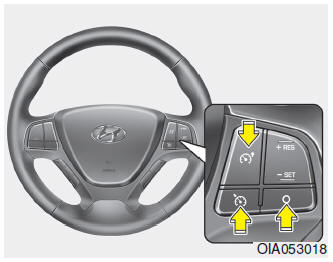
CANCEL: Cancels the set speed limit.
 : Turns the electronic speed limiter on or off.
RES+: Resumes or increases the speed limiter setting.
SET-: Sets or decreases the speed limiter setting.
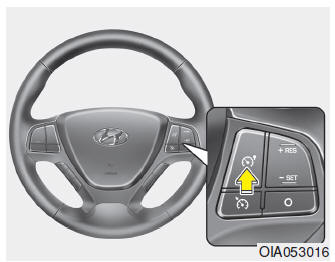
To set the speed limit
1. To activate the system, press the speed limiter button on the steering wheel.
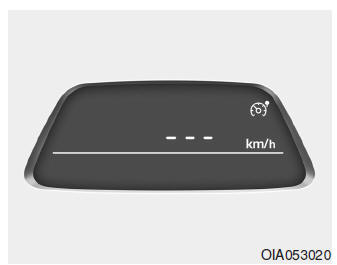
The speed limiter indicator light will come on in the instrument cluster.
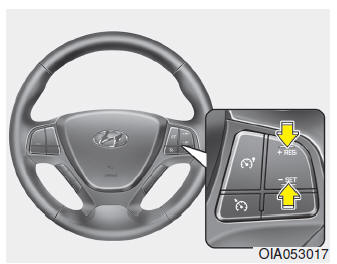
2. Press the SET- switch.
3. Press and release the +RES or SET- switch once the desired speed is reached.
Press and hold the +RES or SET- switch. The speed will increase or decrease by 5 km/h.
Press and immediately release the +RES or SET- switch. The speed will increase or decrease by 1 km/h.
The set speed limit will be shown on the instrument cluster display.
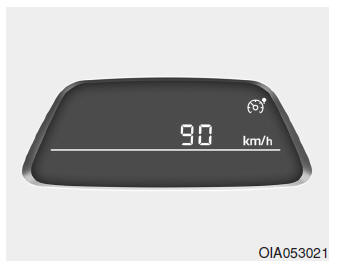
The set speed limit will be shown on the instrument cluster display.
To drive beyond the set speed limit, press the accelerator pedal firmly (more than approximately 80%) until the kickdown mechanism clicks. The speed limit indicator will then flash and an audible signal will sound until the vehicle speed returns within the limit.
NOTE
- If you try to exceed the preset speed limit, when you press the accelerator pedal less than approximately 50%, the vehicle speed will be maintained within the limit.
- Pressing the accelerator pedal fully until you feel a click from the kickdown mechanism is normal.
To deactivate the speed limiter
- Press the ( ) speed limit button once again.
- Press the cruise control switch (pressing the cruise control switch will activate the cruise control system).
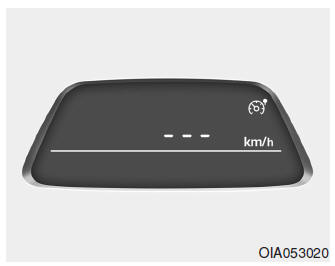
Pressing the (CANCEL) switch once cancels the set speed limit, but the system is not deactivated.
To resume the speed limit, press the +RES or SET- switch on the steering wheel until the desired speed is set.
Test yourself
A quick Hyundai i10 quiz: every answer comes with an explanation and a link to the manual page.