Engine Start/Stop Button
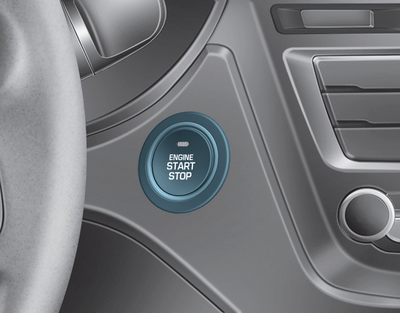
Whenever the front door is opened, the Start/Stop Engine button indicator will illuminate, and it will turn off approximately 30 seconds after the door is closed.
 WARNING
To reduce the risk of serious injury, never allow a child or anyone unfamiliar with the vehicle to touch the Engine Start/Stop button or related components. Sudden and unexpected movement of the vehicle may occur.
WARNING
To stop the engine in an emergency:
Press and hold the Engine Start/Stop button for more than two seconds, OR quickly press and release the Engine Start/Stop button three times (within three seconds).
If the vehicle is still moving, you can restart the engine without pressing the brake pedal by pressing the Start/Stop button with the gear shift lever in N (Neutral).
WARNING
- Never press the Engine Start/Stop button while the vehicle is moving, except in an emergency. The engine will stop and the loss of power will affect steering and braking assistance.
This will adversely affect steering and braking functions, which may cause an accident. - Before leaving the driver's seat, always check that the gear shift lever is in P (Park), then fully apply the parking brake, press the Engine Start/Stop button to OFF, and take the Smart Key with you. Sudden movement of the vehicle may occur if you do not observe these precautions.
- Never try to reach the Engine Start/Stop button or any other control through the steering wheel while driving. Having your hand or arm in this area may cause loss of vehicle control and result in an accident.
Test yourself
A quick Hyundai i20 quiz: every answer comes with an explanation and a link to the manual page.