Blind-Spot Monitoring System
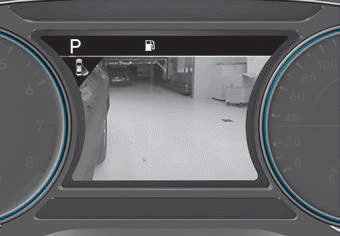
■ Type B
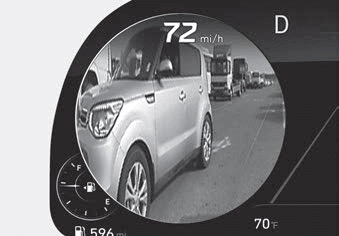
■ Type C — Driver's Side
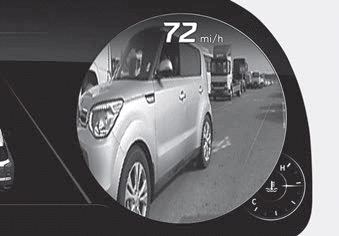
■ Type C — Passenger's Side
The BVM (Blind-Spot View Monitor) system displays the rear side areas on the driver's or passenger's side in the cluster when the system is activated.
To turn on the BVM system: Condition: BVM system is enabled in the settings
1. Ignition switch is turned to the ON position.
2. Turn signal is activated
To turn off the BVM system
1. Ignition switch is turned to the OFF position.
2. Turn signal is deactivated
3. Another warning screen appears and takes priority over the BVM system.
System Settings
With the engine running, the Blind-Spot View Monitor system turns on and is ready for activation when "User Settings → Driver Assistance → Blind-Spot Safety → Blind-Spot View" is selected in the cluster. The system stops operating when the setting is deactivated.
CAUTION
- Like all assist systems, the BVM system has limitations. Overreliance on the system may lead to a collision.
- Always look around your vehicle to make sure there are no objects or obstacles before moving the vehicle in any direction to prevent a collision.
- Objects may appear closer than they actually are. Failure to visually confirm that it is safe to change lanes before doing so may result in an accident and serious injury or death.
- Always keep the camera lens clean. The camera may not operate normally if the lens is covered with foreign material.
Test yourself
A quick Hyundai Palisade quiz: every answer comes with an explanation and a link to the manual page.