Advanced Driver Assistance System (ADAS)
Description and Operation
In this manual: Advanced Driver Assistance System (ADAS)
9steps
~54min
2/5difficulty
Done 0 of 9
Description and Operation
Block Diagram
|

| The system may be limited when: |
- The radar sensor or camera is blocked by a foreign object or debris.
- The camera lens is contaminated by window tinting or coating, the windshield is damaged, or foreign objects (stickers, insects, etc.) are stuck to the glass.
- Severe weather, such as heavy rain or snow, blocks the field of view of the radar sensor or camera.
- The target ahead is too small to be detected.
- The vehicle ahead is an oversized vehicle or trailer that is too large to be detected by the camera recognition system (e.g., tractor-trailer, etc.).
- The camera's field of view is poorly lit (too dark, excessive glare, or strong backlight obscuring the field of view).
- The taillights of the vehicle ahead are not on, or the taillights are located in an unusual position (modified).
- The windshield is fogged and the view of the road is obstructed.
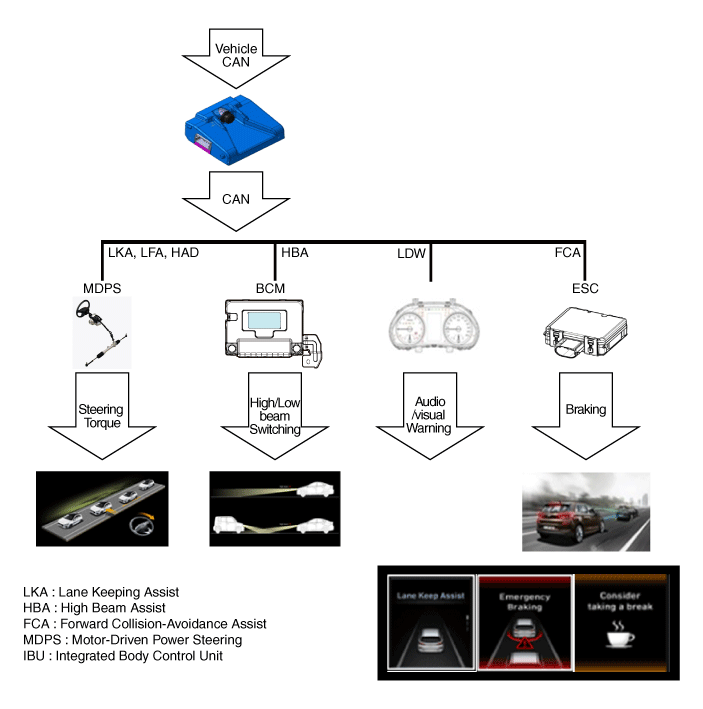
- Forward Collision-Avoidance Assist (FCA): This driving safety system sends a warning to the driver about possible hazards and assists with vehicle braking to help avoid collision with any obstacle ahead while driving. FCA recognizes the position and speed of the forward obstacle (vehicle/pedestrian/two-wheeled vehicle) using the front camera/front radar and sends a visual/audible warning to the driver when a collision with the forward obstacle is expected, and helps the driver avoid collision by assisting brake control. However, for safety, the driver must always watch the road ahead, because the front camera/front radar may not operate normally in certain situations where obstacles cannot be easily recognized.
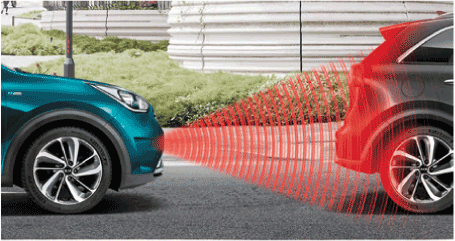
- Lane Keeping Assist (LKA): This driving safety system sends a warning to the driver about possible hazards and controls the steering wheel when the system determines that the vehicle is leaving its lane, which reduces the risk of an accident caused by driver inattention. LKA sends a visual/audible/haptic warning to the driver using lane data obtained by the front camera, the turn signal operating status, and assists the driver in avoiding collision by assisting steering control. However, the front camera may not operate normally in certain situations where lane markings or boundaries are difficult to identify.
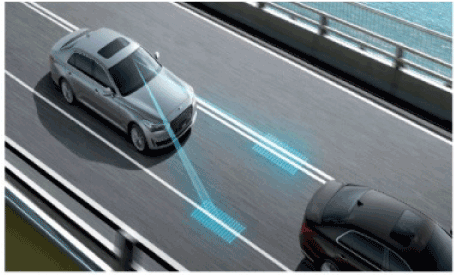
- Driver Attention Warning (DAW): This system warns the driver to avoid a collision if it determines that the driver is driving unintentionally. DAW gives the driver visual and audible warnings when unintentional driving is detected. It is detected by analyzing the driving pattern of the driver, the lane condition recognized by the front camera, and the vehicle speed, steering wheel angle, and brake system data. However, the front camera may not operate normally in certain situations when the camera cannot obtain surrounding data.
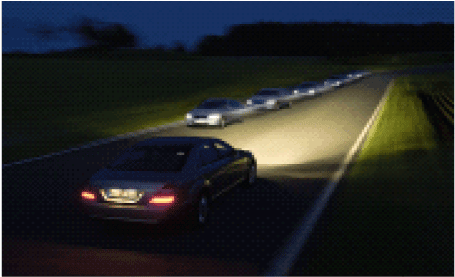
- High Beam Assist (HBA): This system controls the operation of the high beams to maximize forward visibility while minimizing glare to other vehicles when driving at night or in areas with no or insufficient lighting. Using the front camera, HBA determines the source of light (whether it comes from a vehicle ahead/oncoming or from the street). When there is light, the system turns the high beams off, and when there is no light, it turns the high beams on. However, the front camera may not operate normally in certain situations when the camera cannot obtain surrounding data.
- Highway Driving Assist (HDA): This system is designed to reduce driver workload when driving on highways or expressways by controlling the steering, acceleration, and braking of the vehicle to maintain the speed set by the driver, keep a safe distance from the vehicle directly ahead, and keep the vehicle in the center of the current lane. HDA uses navigation information to determine whether the vehicle is on a highway or expressway. When the vehicle is on a highway or expressway, HDA maintains the center position in the lane and a safe distance from the vehicle ahead by controlling steering and acceleration/braking, based on lane information detected by the front camera and the relative position/speed of the vehicle ahead detected by the front camera/radar. HDA is cancelled when the driver presses the LFA button or the SCC button, or applies the brake. In addition, HDA gives the driver visual/audible warnings when it determines that the driver has removed their hands from the steering wheel for a certain period of time, and if the driver still does not hold the steering wheel after the hands-off warning, HDA will be cancelled.
| Warning [km/h] | FULL Braking [km/h] | ||
| FCA Camera | Stationary | 10 - 180 | 10 - 60 |
| Moving Vehicle | 30 - 180 | 30 - 60 | |
| Pedestrians | 10 - 60 | 10 - 60 |
| System | Start [km/h] | Stop [km/h] | ||
| MIN. | MAX | MIN. | MAX | |
| LKA | 65 | 200 | 55 | 210 |
| DAW | - | 175 | - | 180 |
| HBA | 40 | 175 | 30 | 180 |
The front camera operating conditions are as follows when the sum of the following systems is turned on and the required operating speed is met.
- FCA, Forward Collision-Avoidance Assist:
- ESC (Electronic Stability Control) must be turned on
- Operates when a collision with another vehicle or pedestrian ahead is expected.
- LKA, Lane Keeping Assist:
- The lane must be clearly marked, and both lane lines must be detected in opposite directions.
- The driver must keep hands on the steering wheel. The system is deactivated if the driver ignores steering wheel assist torque.
- The system starts operating when a lane change is made without intention while the turn signal and hazard warning light switch are off.
- If the vehicle exceeds the specified vehicle width, the system determines that the vehicle is moving from one lane to another, and the system ends.
- LKA may not operate properly in the following conditions: • The vehicle is driving through a sharp curve. • Sudden braking or sudden lane change. • ESC/VSM is operating. • The lane width is too wide or too narrow.
- DAW, Driver Attention Warning: Unintentional driving warning
- The DAW (Driver Attention Warning) system may not operate properly in the following conditions:
- The vehicle frequently and intentionally crosses lane lines or is driven aggressively.
- The vehicle is driven on a very winding or uneven road surface.
- The vehicle is controlled by other lane keeping systems, such as ADAS.
- When the lead vehicle starts moving, the system displays a message on the instrument cluster together with an audible signal.
- The Lead Vehicle Departure Warning may not operate properly in the following conditions:
- Pedestrians or cyclists ahead.
- Another vehicle crosses the line.
- The vehicle ahead starts suddenly or makes a U-turn.
- The vehicle stops on a speed bump, ramp, shoulder, rest area, or parking area.
- The vehicle stops while turning right or while driving on a curved road.
- The road condition ahead is unpredictable (for example, a reduction in the number of lanes).
- HBA, High Beam Assist:
- To activate the system, turn the light switch to the "AUTO" position and push it toward the instrument panel (high beam: ON).
- The operation of the High Beam Assist (HBA) system is explained in detail below. The system is controlled by the switch. When the high beam switch is pushed on the instrument cluster, high beam operation switches to "ON" continuously, and the system ends operation. When the light switch is pulled without the high beam turning on, the high beam turns on without disabling the HBA system. (When released, the switch returns to the center and turns off the high beam.) When the light switch is pulled while the high beam is on, the HBA turns the high beam off and system operation ends. Moving the headlight switch from "AUTO" to "HEADLAMP" turns off the high beam and disables the system.
- The high beam is automatically turned off when any of the following conditions occur while the headlights are turned on by HBA.
- The system detects the headlights of another oncoming vehicle or the taillights of a vehicle ahead.
- The system detects the headlights or taillights of bicycles or motorcycles.
- The ambient lighting is bright enough that the headlights do not need to be turned on.
- There is a street lamp or other light ahead.
- The lighting switch is not in the AUTO (automatic lighting) position.
- The USM is turned off or does not meet the required operating speed.
- The system may not operate during daytime, even if all HBA operating conditions are met.
Test yourself
A quick Hyundai Palisade quiz: every answer comes with an explanation and a link to the manual page.
Was this page helpful?