Blind-Spot Collision-Avoidance Assist Settings
Blind-Spot Safety
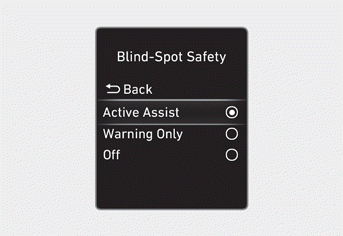
With the ignition ON, select User Settings > Driver Assistance > Blind-Spot Safety (for cluster type) or Setup > Vehicle > Driver Assistance > Blind-Spot Safety (for infotainment system type) in the settings menu to select the following:
- If Active Assist is selected, the Blind-Spot Collision-Avoidance Assist system displays a warning message, sounds an audible warning, and brakes your vehicle depending on the level of collision risk.
- If Warning Only is selected, the Blind-Spot Collision-Avoidance Assist system displays a warning message and sounds an audible warning depending on the level of collision risk. The system does NOT brake your vehicle to help avoid a collision.
- If Off is selected, Blind-Spot Collision-Avoidance Assist is disabled.
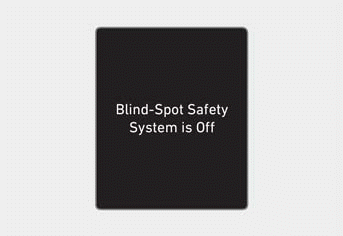
If you change the setting from Off to Active Assist or Warning Only, the warning indicators in the side view mirrors will flash for three seconds.
Also, if the engine is started when the feature is set to Active Assist or Warning Only, the warning indicators in the side view mirrors will flash for three seconds.
When restarting the engine with the feature turned off, the "Blind-Spot Collision-Avoidance Assist Off" message may appear on the instrument cluster.
WARNING
If Warning Only or Off is selected, the system does NOT brake your vehicle to help avoid a collision.
Information
When the engine is restarted, the Blind-Spot Collision-Avoidance Assist system keeps the last setting.
Information
You can change the warning timing and warning volume, or select Driving Safety Priority for the Blind-Spot Collision-Avoidance Assist system from the Settings menu. For more information, refer to "Driver Assistance System Settings" in this chapter.
Test yourself
A quick Hyundai Tucson LM quiz: every answer comes with an explanation and a link to the manual page.