Emergency Situations
Check Tire Pressure
In this manual: Emergency Situations
~1min read
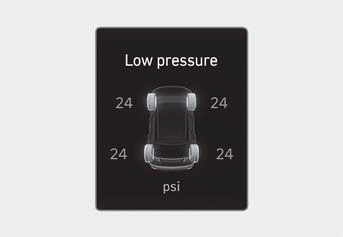
- • You can check the tire pressure in the Driving Assist mode in the instrument cluster. Refer to "Viewing Modes" in Chapter 4.
- • Tire pressure appears after driving for a few minutes. If tire pressure does not appear when the vehicle stops, the message "Check Display" appears.
- • The displayed tire pressure values may differ from those measured with a tire pressure gauge.
- • You can change the tire pressure unit from the settings menu in the instrument cluster or the infotainment system.
Select:
- User Settings > Units > Tire Pressure Unit > psi, kPa, bar (for cluster type)
- Setup > General > Units > Tire Pressure Unit > psi, kPa, bar (for infotainment system type)
Information
The infotainment system may change after a software update. For more information, refer to the infotainment system user's manual and quick reference guide.
Test yourself
A quick Hyundai Tucson LM quiz: every answer comes with an explanation and a link to the manual page.
Was this page helpful?