Eco driving
Depending on the vehicle, various functions are available to help you reduce fuel consumption:
- the rev counter;
- the gear shift indicator;
- the driving style indicator;
- the trip summary and eco-tips via the multimedia display;
- ECO mode, activated with the ECO button.
Where fitted, the navigation system supplements this information.
Gear shift indicator 1
Depending on the vehicle, to optimise fuel consumption, a warning light on the instrument panel tells you the best moment to shift up or down:
 shift to
a higher gear
 shift to
a lower gear.
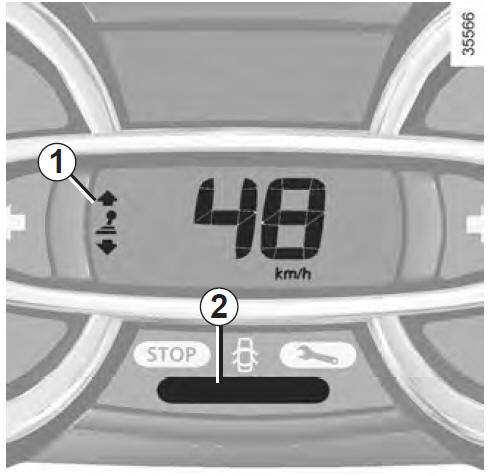
Driving style indicator 2
It informs you of your driving style in real time. You are alerted by the colour of indicator 2.
Green: smooth, economical driving;
Yellow: driving not smooth enough;
Orange: driving too aggressive.
The driving style indicator is activated by default. To deactivate it, refer to the multimedia system user manual.
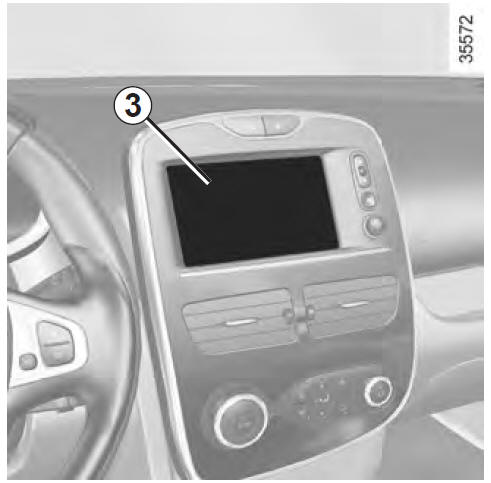
Trip summary
When the engine is switched off, the 'Trip summary' display on screen 3 shows information about your last trip.
It shows:
- average fuel consumption;
- total fuel consumption;
- the number of kilometres travelled;
- the number of kilometres saved.
An overall score for your eco-driving performance is displayed, along with three indices detailing: gear shifting results, acceleration management, and anticipation and braking management.
ECO mode
ECO mode is a function that optimises fuel consumption.
It acts on all energy-consuming components (engine power, heating and/or air conditioning, etc.).
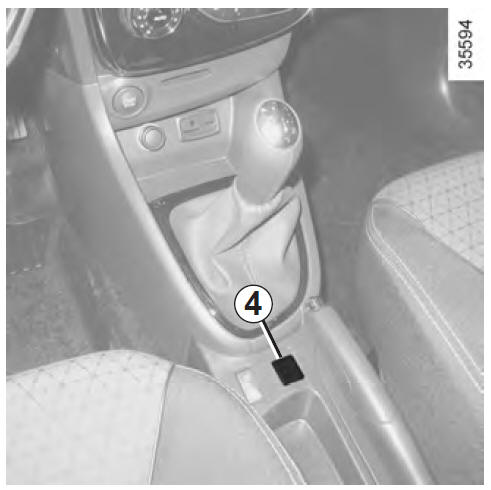
Activating the function
Press switch 4.
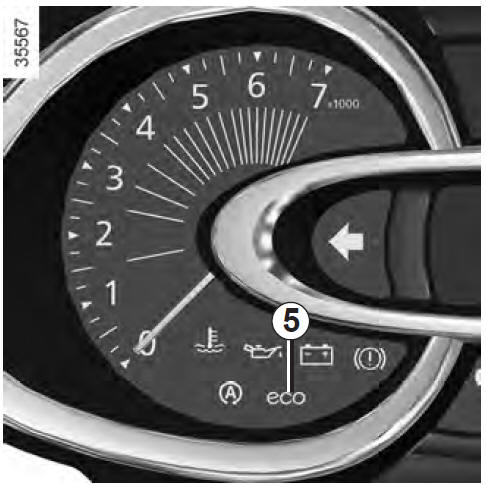
The ECO indicator 5 comes on in the instrument panel to confirm activation.
At any time, full engine performance can be restored and the function exited: press the accelerator pedal firmly to the floor.
Deactivating the function
Press switch 4.
The ECO indicator 5 goes out in the instrument panel to confirm deactivation.
Test yourself
A quick Renault Clio quiz: every answer comes with an explanation and a link to the manual page.