Steering wheel controls
 1. Successive presses: "
Black Panel" mode - black screen (night driving).
 2. Short press to make a phone call.
Answer / Hang up.
Accesses the phone menu.
Displays the call log.
Long press rejects an incoming call.
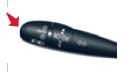 Press: repeat the current navigation voice instruction.
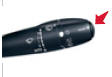 Successive presses: select the type
of information shown on the screen.

Steering wheel controls
- Rotation: gives access to shortcut menus depending on the screen display.
Short press: confirms the choice displayed on screen.
Long press: returns to the general menu.
- Short press: cancels the current operation.
Rejects an incoming call.
Long press: returns to the initial display.
- Menu: gives access to the general menu.
- VOL +: increases volume.
- VOL -: decreases volume.
- By successive presses: mutes / restores sound.
- Short press: Radio: higher frequency.
Music players: next track.
Long press to fast-forward playback.
- Short press: Radio: lower frequency.
Music players: previous track.
Long press to fast-forward playback.
- Short press: displays the list of available radio frequencies or tracks, albums, folders.
Long press: updates the list of received stations.
Test yourself
A quick Citroen C5 quiz: every answer comes with an explanation and a link to the manual page.