Bluetooth Phone
1. Activate the Bluetooth function on the phone.
The last connected phone reconnects automatically.

2.  Press the PHONE key.

 The list of previously
connected phones (4 maximum) is displayed on the multifunction screen. Select the desired phone for a new connection.
3.  For a first connection,
select "Search for a phone" and press the wheel to confirm. Then select the name of the phone.


4. Enter the authentication code on the phone. The code to enter is displayed on screen.

! Once the phone is connected, MyWay can synchronise the address book and call log. This synchronisation may take a few minutes *.
1.  To change the connected phone,
press the PHONE button, then select the “Phone” menu and press the rotary knob to confirm.

2.  Select “Connect a phone”.
Select the phone and press to confirm.


RECEIVING A CALL
1. An incoming call is announced by a ring tone and a pop-up display on the multifunction screen.
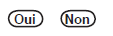
2.  Select the “Yes” tab to
accept or “No” to decline, and confirm by pressing the rotary knob.

3.  To hang up, press
the PHONE button, or press the rotary knob, select “Hang up” and confirm by pressing the rotary knob.



 A short press on the TEL button on the steering wheel controls answers an incoming call or ends the current call. A long press rejects the incoming call.

MAKING A CALL 1.

Press the
PHONE button.

 The list of the last 20 calls made and received from the vehicle is displayed below the "Phone" menu. You can select a number and press the wheel to start the call. 2.
Select the
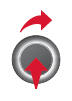
“Phone” menu function and press the rotary knob to confirm.

Select “Dial”, then enter the phone number using the virtual keypad.


 A number can also be selected from the address book. You can select “Call from address book”. The MyWay can store up to 4000 entries.
 To delete a number, press
the PHONE key, then a long press on a call number displays a list of actions including:
- Delete entry
- Clear list
Test yourself
A quick Citroen C5 quiz: every answer comes with an explanation and a link to the manual page.