Press the MODE button successively to access the following menus: RADIO/ MUSIC MEDIA PLAYERS PHONE (If a call is in progress)ON-BOARD COMPUTER FULL-SCREEN MAP NAVIGATION (If route guidance is in progress) SETUP:
languages *, date and time *, display, vehicle settings *, units and system settings, "Demonstration mode".
* Depending on model.
TRAFFIC:
TMC information and messages.
To clean the screen, it is recommended to use a soft, non-abrasive cloth (spectacle cloth) without any additional product.! For an overview of the details of the menus to choose from, refer to the chapter "Screen menu maps".DISPLAY DEPENDING ON CONTEXTPress the OK wheel to access shortcut menus depending on the screen display.NAVIGATION (IF ROUTE GUIDANCE IS IN PROGRESS): 1. Stop guidance 1. Repeat message 1. Detour route 1. Route information
2. View destination
2. Trip information
3. Guidance criteria
3. Exclusion criteria
3. Number of satellites
2. Move map
1. Voice message
1. Guidance option
PHONE: 1. Hang up 1. Hold 1. Call 1. DTMF tones 1. Handset mode 1. Microphone offMUSIC MEDIA PLAYERS: 1. Traffic information (TA) 1. Playback options

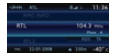 RADIO/ MUSIC MEDIA PLAYERS
 PHONE (If a call is in
 ON-BOARD COMPUTER
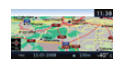 FULL-SCREEN MAP
 NAVIGATION (If route guidance is in progress)


 To clean the screen, it is recommended to use a soft, non-abrasive cloth (spectacle cloth) without any additional product. ! For an overview of the details of the menus to choose from, refer to the chapter "Screen menu maps". DISPLAY DEPENDING ON CONTEXT
 Press the OK wheel to access shortcut menus depending on the screen display. NAVIGATION (IF ROUTE GUIDANCE IS IN PROGRESS): 1. Stop guidance 1. Repeat message 1. Detour route 1. Route information