Music media players
 To play a burned CDR or CDRW, select the ISO 9660 level 1, level 2 or, preferably, Joliet standard when burning.
If the disc is burned in another format, playback may not work correctly.
On the same disc, it is recommended to always use the same burning standard, at the lowest possible speed (4x maximum) for optimum sound quality.
For a multi-session CD, the Joliet standard is recommended.
 MyWay only plays audio files with the ".mp3" extension at a bit rate from 8 Kbps to 320 Kbps and the ".wma" extension at a bit rate from 5 Kbps to 384 Kbps.
It also supports VBR (Variable Bit Rate) mode.
Any other file type (.mp4, .m3u...) cannot be played.
 It is recommended to name files with fewer than 20 characters, excluding special characters (e.g. « » ? ; ù), to avoid any playback or display problems.
1.  Press the MUSIC key.

! The list of tracks or MP3/WMA files appears below the "Music" menu.
2.  Press the MUSIC key again or select the "Music" menu function and press the wheel to confirm.


3.  Select the "Choose source" function and press the wheel to confirm.


4.  Select the desired music source: CD, CD MP3/WMA.
Press the wheel to confirm. Playback starts.

5.  Press one of the up and down keys to select the next/previous folder.

6.  Press one of the keys to select a music track. Hold one of the keys for fast forward or rewind.

 Playback and display of an MP3/WMA compilation may depend on the burning software and/or the settings used. We recommend using the ISO 9660 burning standard. USING THE AUXILIARY INPUT (AUX) AUDIO JACK/USB CABLE NOT SUPPLIED
1. Connect the portable device (MP3/WMA player...) to the JACK audio socket or the USB port, using a suitable audio cable.
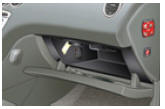
2.  Press the MUSIC key and press the key again or select the "Music" menu function and press the wheel to confirm.


3.  Select the "Auxiliary input" function and press the wheel to activate it.


4.  Select the AUX music source and press the wheel to confirm. Playback starts automatically.

! The display and control of functions is done via the portable device.
Test yourself
A quick Citroen C5 quiz: every answer comes with an explanation and a link to the manual page.