Safety
For monochrome screen C
In this manual: Safety
~1min read
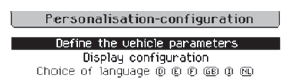
- Press the MENU button to access the main menu.
- Select "Personalisation - Configuration".
- Select "Vehicle settings".
- Select "Driving assistance".
- Select "Automatic emergency braking: OFF" or "Automatic emergency braking: ON".
- Press the "7" or "8" buttons to tick or untick the box and, respectively, activate or deactivate the system.
- Press the "5" or "6" buttons, then press the OK button to select "OK" and confirm, or press the Back button to cancel.
Test yourself
A quick Citroen DS3 quiz: every answer comes with an explanation and a link to the manual page.
Was this page helpful?