Lane Keeping System (IF EQUIPPED)
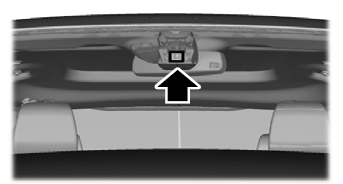
When you turn on the system and it detects that an unintentional lane departure may occur, the system alerts you or helps you stay in your lane through the steering system and the information display. In alert mode, the system provides a warning by vibrating the steering wheel. In assist mode, the system provides steering assistance by gently counter-steering the vehicle back into the lane.
When the system operates in combined alert and assist mode, the system first provides steering assistance by gently counter-steering your vehicle back into the lane, and then issues a warning that vibrates the steering wheel if the vehicle is still outside the lane markings.
Switching the System On and Off
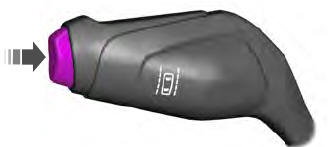
Press the button on the turn signal lever to turn the system on or off.
System Settings
The system has additional adjustable settings menus. The system stores the last known selection for each of these settings. You do not need to reset your settings each time you start the system.
Mode: This setting allows you to select which system functions you want to enable.
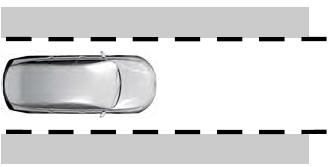
Alert Only - Provides steering wheel vibration when the system detects an unintentional lane departure.
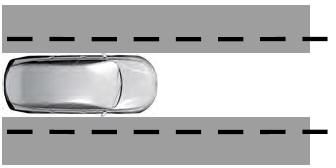
Aid Only - Provides steering assistance toward the center of the lane when the system detects an unintentional lane departure.
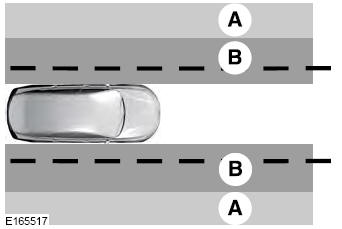
- Alarm
- Assist
Alert + Aid - Provides steering assistance toward the center of the lane.
If your vehicle continues to drift outside the lane after the Lane Keeping System has corrected the vehicle, the system provides steering wheel vibration.
Intensity: This setting affects the intensity of the steering wheel vibration used for the Alert and Alert + Aid modes. This setting does not affect the Aid mode.
- Low
- Normal
- High
System Display
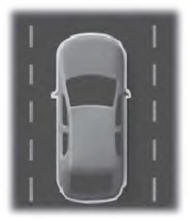
If you turn on the system in Alert mode, a vehicle graphic with lane markings appears in the information display.
If you turn on the system in Aid or Alert + Aid mode, a separate white icon also appears, and on some vehicles, arrows appear on the lane marking display.
When the system is turned off, the lane marking graphic is not displayed.
When the system is on, the color of the lane markings changes to indicate the system status.
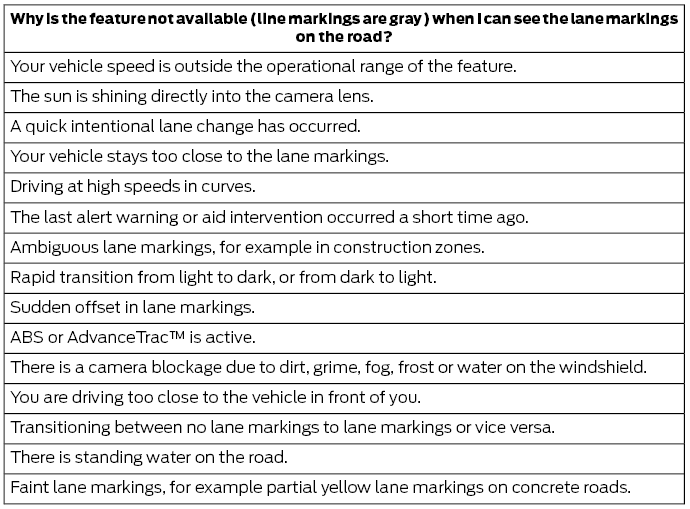
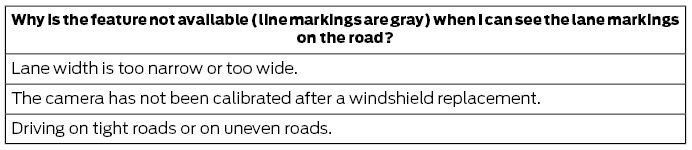
Gray: Indicates that the system is temporarily unable to provide a warning or intervention on the indicated side. This may be because:
- Your vehicle is below the activation speed.
- The turn signal is on.
- Your vehicle is performing a dynamic maneuver.
- There is no lane marking or the lane marking is poor within the camera's field of view.
- The camera is blocked or cannot detect lane markings due to environmental, traffic, or vehicle conditions. For example, strong sun angles, shadows, snow, heavy rain or fog, following a large vehicle that is blocking or shading the lane markings, or poor headlight illumination.
For more information, refer to Troubleshooting.
Green: Indicates that the system is available or ready to provide a warning or intervention on the indicated side.
Yellow: Indicates that the system is providing or has just provided lane keeping aid intervention.
Red: Indicates that the system is providing or has just provided a lane keeping warning.
The system can be temporarily suppressed at any time as follows:
- Hard braking.
- Rapid acceleration.
- Use of the turn signal.
- Evasive steering maneuver.
- Driving too close to the lane markings.
Troubleshooting
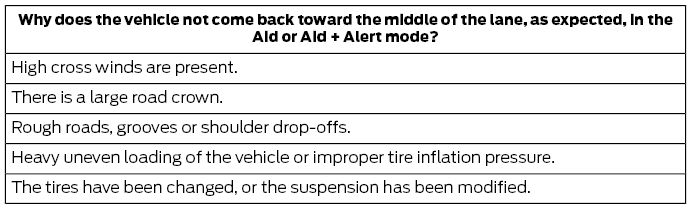
Test yourself
A quick Ford Fusion quiz: every answer comes with an explanation and a link to the manual page.