SYNC™ 3
SYNC™ 3 Troubleshooting
In this manual: SYNC™ 3
3steps
~18min
2/5difficulty
Done 0 of 3
Voice Recognition
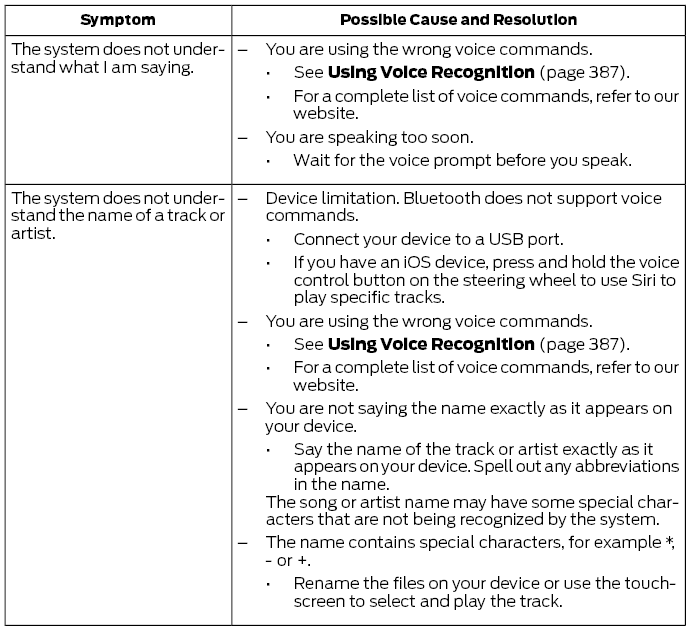
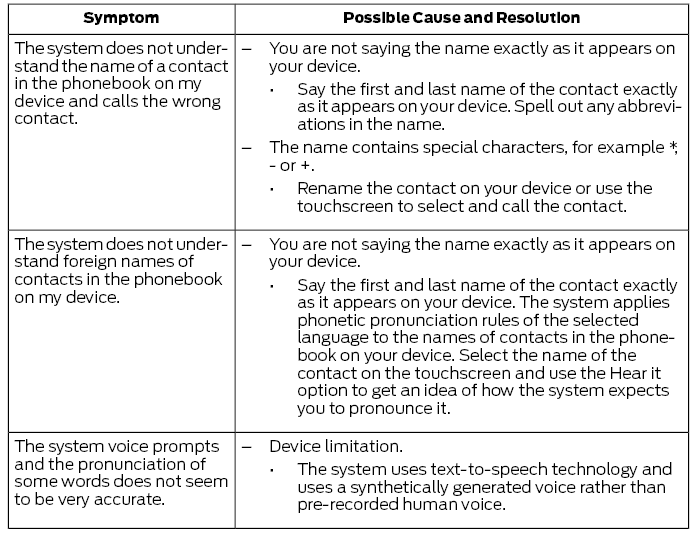
USB and Bluetooth Audio
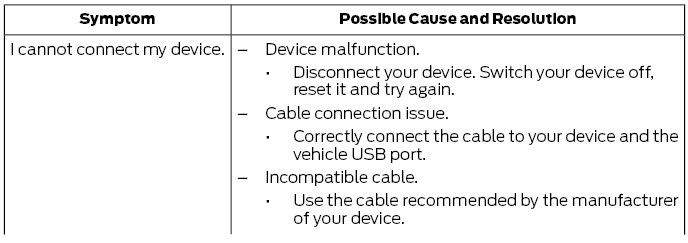
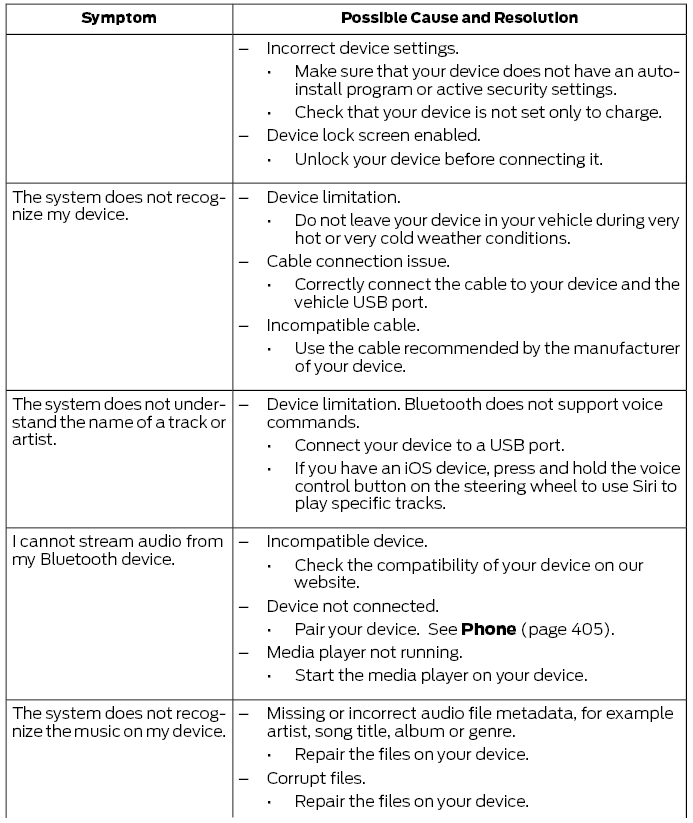
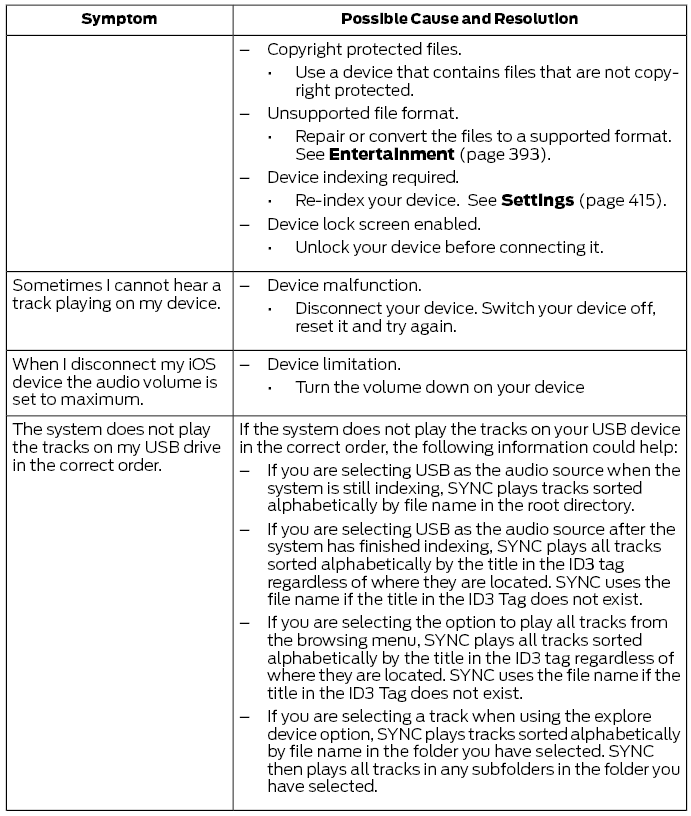
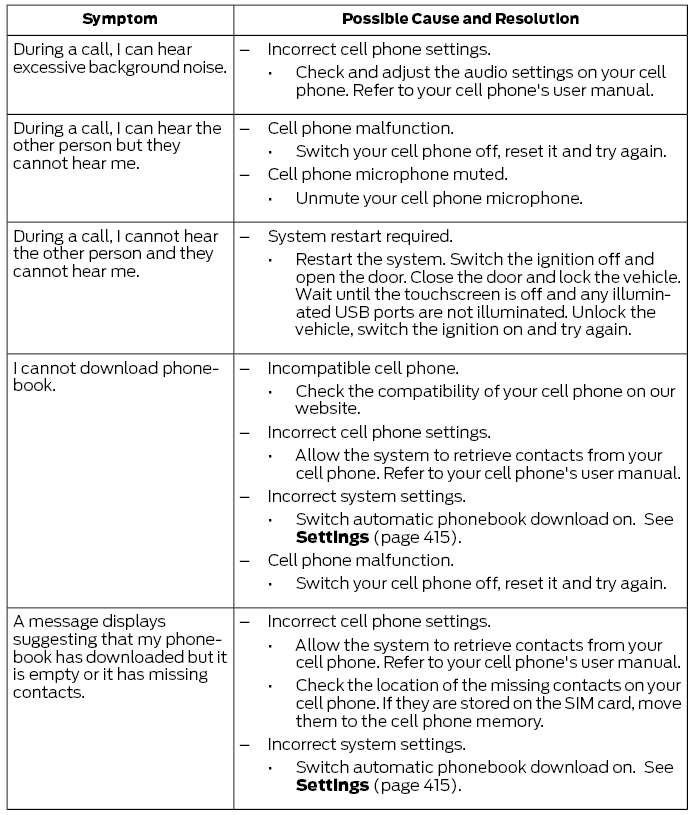
Phone
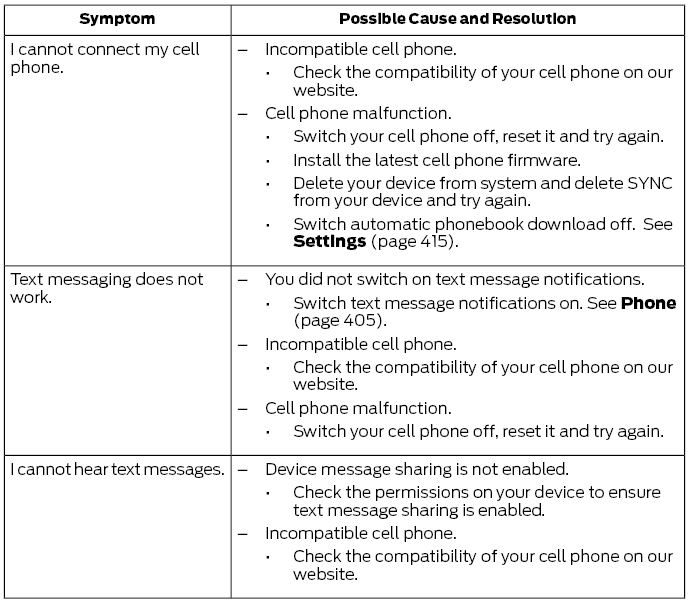
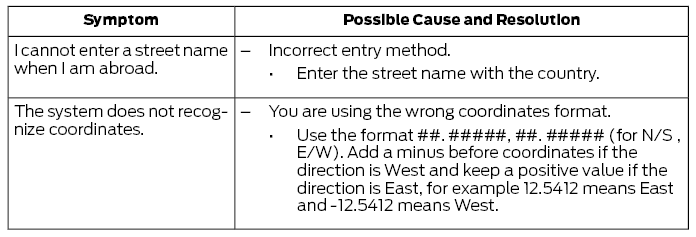
Navigation (If Equipped)
Apps
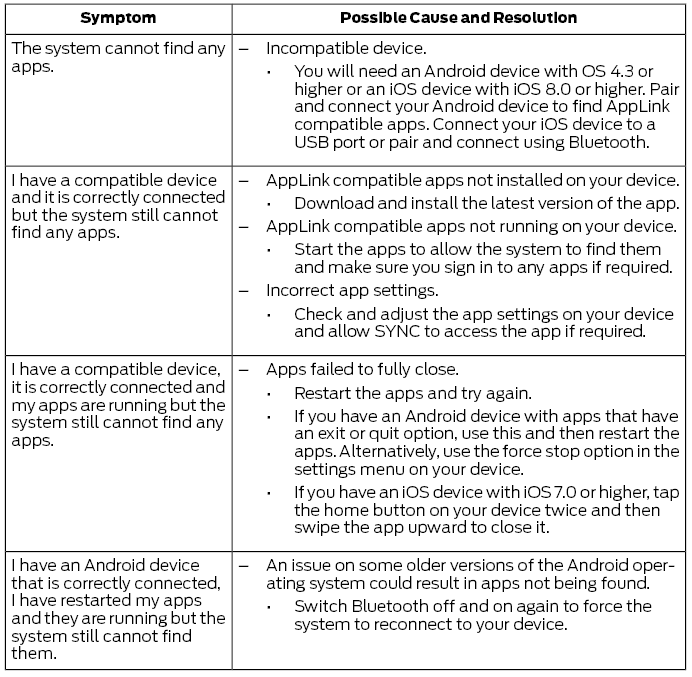
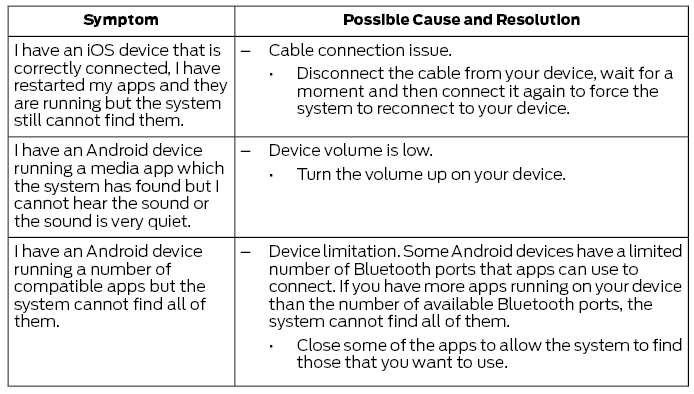
Wi-Fi Connection
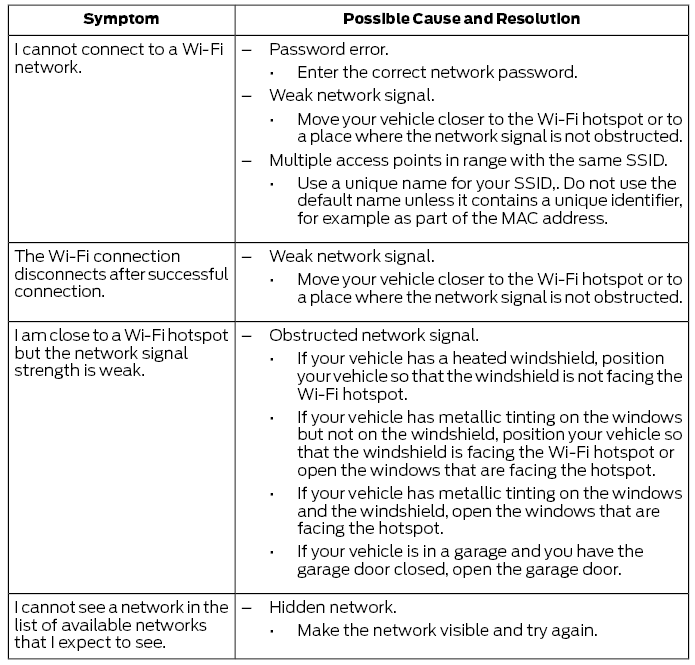
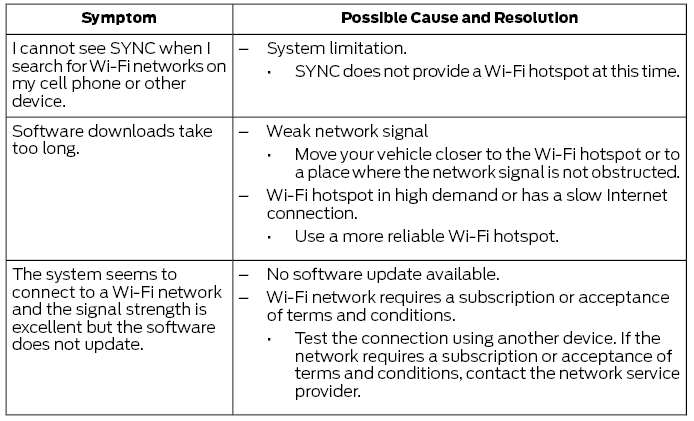
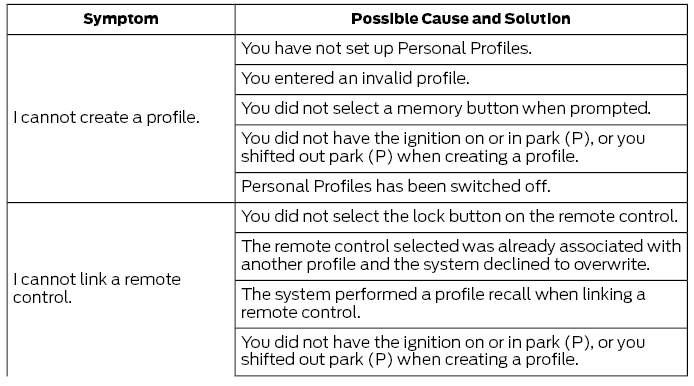
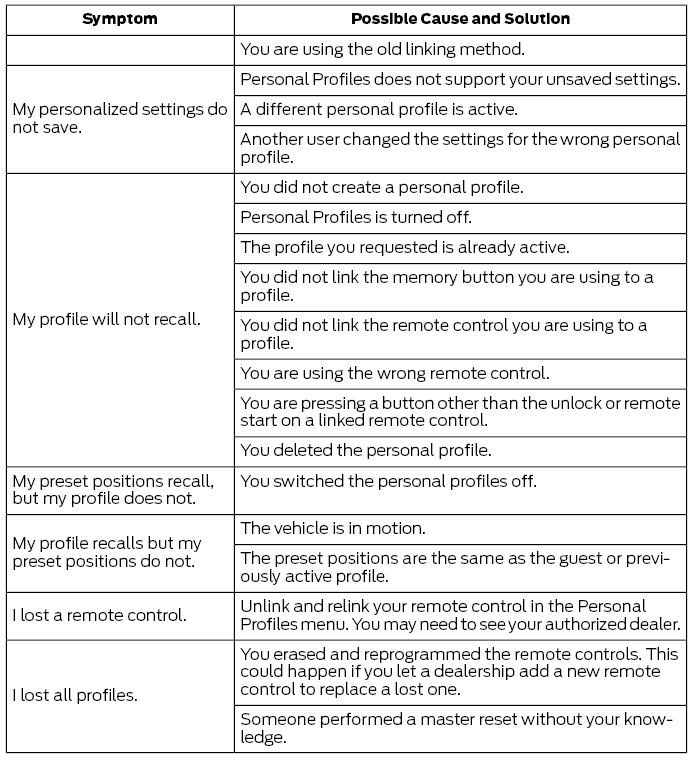
Personal Profiles (if equipped)
System Reset
- Press and hold the SEEK and POWER buttons on the audio unit at the same time until the screen goes black.
- Wait three minutes for the system to complete the reset.
- Press the audio unit power button to turn the system on.
Additional Information and Assistance
For additional information and assistance, we recommend that you contact an authorized dealer or visit our website.
Test yourself
A quick Ford Fusion quiz: every answer comes with an explanation and a link to the manual page.
Was this page helpful?