LKA System Operation
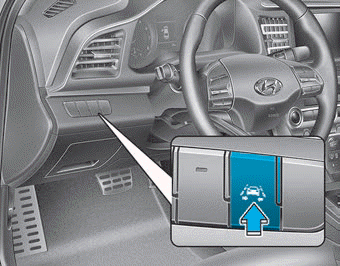
To turn the LKA system on/off:
With the ignition switch in the ON position, press the LKA system switch located on the instrument panel to the left of the steering wheel. The indicator on the cluster display will first illuminate white. This indicates that the LKA system is in the READY, but NOT ON state.
If you press the LKA button again, the indicator on the switch and the cluster display will turn off.

Note that the vehicle speed must be at least approximately 64 km/h to turn the LKA system ON. The indicator on the cluster will illuminate green.
The indicator color will change depending on the state of the LKA system.
- White: The sensor does not detect lane markings or the vehicle speed is below 40 mph (64 km/h).
- Green: The sensor detects lane markings and the system can control steering.
Information
If the (white) indicator comes on after the previous ignition cycle, the system will turn on without any additional operation. If you press the LKA switch again, the indicator on the cluster will turn off.
LKA System Operation
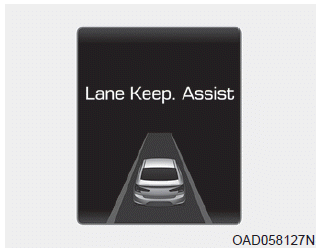
- To view the LKA system screen on the LCD display in the cluster, select Assist mode (
 ). For more details, refer to "LCD Display Modes" in chapter 3.

- If the vehicle speed exceeds 64 km/h and the system detects lane markings, the color changes from gray to white.
- For full system activation, both lane markings must be detected.
- If your vehicle departs from the lane ahead, the LKA system operates as follows:
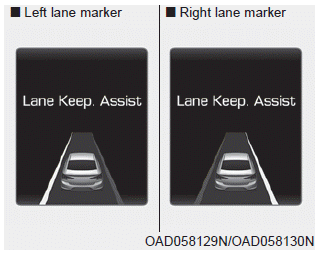
1. A visual warning appears on the cluster LCD. Either the left lane marker or the right lane marker on the cluster LCD will flash, depending on the direction the vehicle is drifting. In addition, an audible warning will sound.
2. The LKA system will control the steering of the vehicle to prevent it from crossing the lane marking under the following conditions.
- Vehicle speed exceeds 64 km/h
- The system detects both lane markings
- While driving, the vehicle is generally positioned between the two lane markings
- The steering wheel is not turned sharply
When the lane markings are detected and all conditions for LKA activation are satisfied, the LKA system indicator will change color from white to green. This indicates that the LKA system is ON and the steering wheel will be controlled.
Test yourself
A quick Hyundai Elantra AD quiz: every answer comes with an explanation and a link to the manual page.