Warning Light and Message
Keep Hands on Steering Wheel
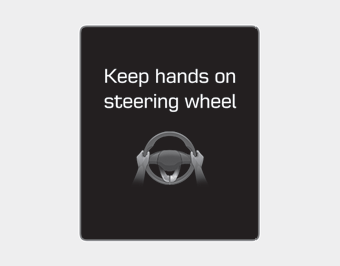
If the driver removes their hands from the steering wheel for several seconds while the LKA system is active, the system will warn the driver.
Information
If you hold the steering wheel very lightly, the message may still appear because the LKA system may not recognize that the driver is holding the steering wheel.
WARNING
The warning message may appear late depending on road conditions. Therefore, always keep your hands on the steering wheel while driving.
Driver grip not detected. LKA system will be temporarily turned off.
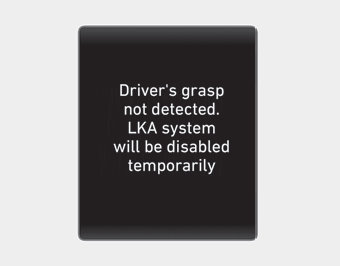
If the driver still does not hold the steering wheel after the "Keep Hands on Steering Wheel" message, the system will not control steering and will only warn the driver when the vehicle crosses the lane markings.
However, if the driver places their hands on the steering wheel again, the system will resume steering control.
This warning message is displayed when the "Active LKA" mode is selected in the user settings.
WARNING
- The LKA system is a supplementary system only. It is the driver's responsibility to drive the vehicle safely and keep it within its lane.
- Turn off the LKA system and drive without using the system in the following situations:
- In bad weather
- On poor road conditions
- When the driver must frequently steer the steering wheel
- When towing a vehicle or trailer
Information
- Although the system assists steering, the driver must still hold the steering wheel to control it.
- The steering wheel may feel heavier when the system is operating than when it is not.
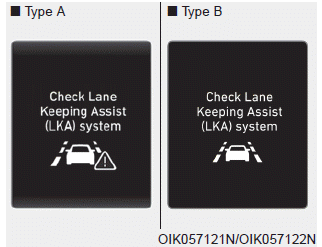
Check the Lane Keeping Assist (LKA) system
If there is a problem with the system, a message will appear for several seconds. If the problem does not go away, the LKA system malfunction indicator will illuminate.
LKA System Indicator

The LKA system indicator (yellow) illuminates if the LKA system is not operating properly. Have your vehicle checked by an authorized HYUNDAI dealer.
If a problem occurs with the system, do one of the following:
- Turn the system off after the engine is switched off, then turn it on again.
- Check that the ignition switch is in the ON position.
- Check whether the system is affected by weather (e.g., fog, heavy rain, etc.).
- Check that there are no foreign objects on the camera lens.
If the problem is not resolved, have your vehicle checked at an authorized HYUNDAI dealer.
The LKA system will not be in the ON state and/or steering assistance will not be provided when:
- The turn signal is activated before changing lanes. If you change lanes without the turn signal on, steering assistance may not be provided.
- The vehicle does not travel in the center of the lane when the system is on at or immediately after a lane change.
- ESC (Electronic Stability Control) or VSM (Vehicle Stability Management) is activated.
- The vehicle is driving through a sharp curve.
- The vehicle speed is below 64 km/h or above 177 km/h.
- The vehicle changes lanes abruptly.
- The vehicle brakes suddenly.
- The lane is very wide or narrow.
- There are more than two lane markings on the road (e.g., construction zone).
- Only one side of the lane marking is detected.
- The radius of the curve is too small.
- The vehicle is driving on a steep slope.
- The steering wheel is turned sharply.
- Driving on a steep slope or hill.
Test yourself
A quick Hyundai Elantra AD quiz: every answer comes with an explanation and a link to the manual page.