LCD Modes
Settings available after parking brake is applied / Settings available after shifting to P
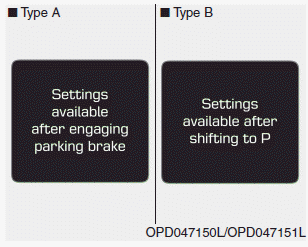
This warning message appears if you try to select an item from the User Settings Mode while driving.
- Manual Transmission
For safety, change the User Settings after applying the parking brake.
- Automatic Transaxle / Dual Clutch Transmission
For safety, change the User Settings after parking the vehicle, applying the parking brake, and shifting the shift lever to the P (Park) position.
Quick Reference (Help, if equipped)
This mode provides quick instructions for the system in the User Settings Mode.
Select an item, then press and hold the OK button.
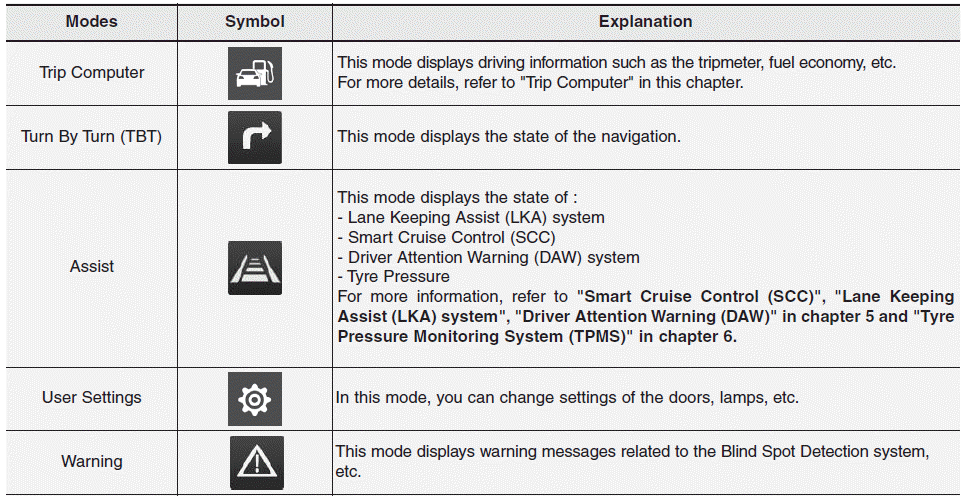
Trip Computer Mode
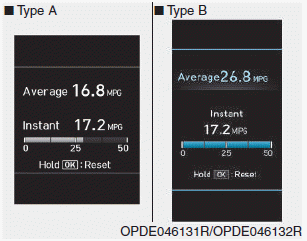
The Trip Computer Mode displays information related to vehicle driving, including fuel consumption, odometer information and vehicle speed.
Turn By Turn (TBT) Mode
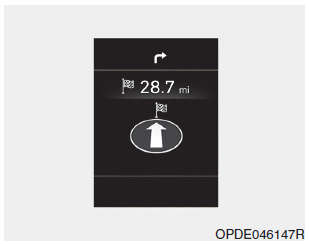
This mode displays the navigation status.
Assist Mode
SCC/LKA/LDW/DAW
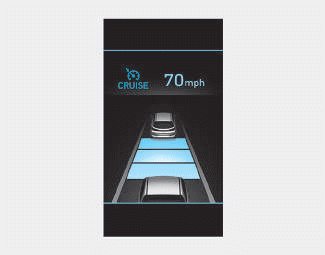
This mode displays the status of the Smart Cruise Control (SCC), Lane Departure Warning (LDW)/ Lane Keeping Assist (LKA) and Driver Attention Warning (DAW) systems.
Tire Pressure
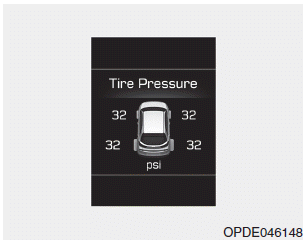
This mode displays information related to tire pressure.
Warning Mode
If one of the following events occurs, warning messages will be displayed on the LCD for several seconds.
- Low washer fluid level (if equipped)
- Exterior light malfunction (if equipped)
- High Beam Assist (HBA) system malfunction (if equipped)
- Blind-Spot Collision Warning (BCW) malfunction (if equipped)
- Forward Collision-Avoidance Assist (FCA) malfunction (if equipped)
- Intelligent Speed Limit Warning (ISLW) malfunction (if equipped)
- Smart Cruise Control (SCC) malfunction (if equipped)
- Tire Pressure Monitoring System (TPMS) malfunction (if equipped)
Test yourself
A quick Hyundai i30 quiz: every answer comes with an explanation and a link to the manual page.