Driver Assistance System
Rear View Monitor
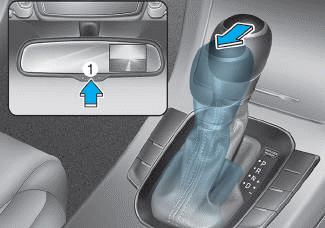
■ Type A
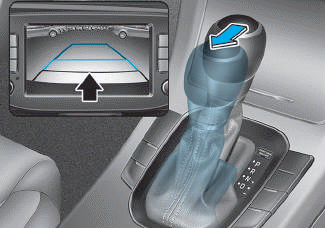
■ Type B
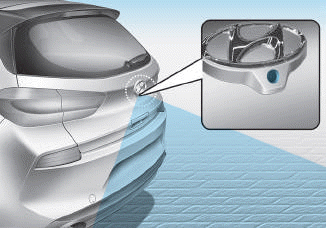
■ 5-Door
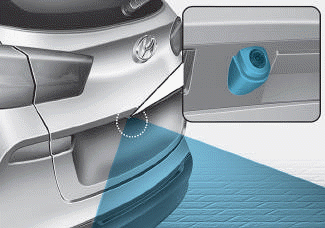
■ Wagon
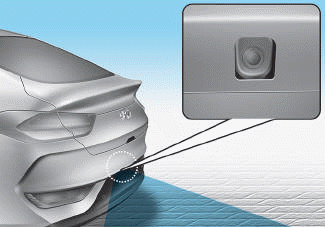
■ Fastback
The rearview monitor activates when the engine is running and the shift lever is in the R (Reverse) position.
This is an optional system that shows the area behind the vehicle through the rearview mirror or navigation display during reversing.
■ Type A
The rearview monitor can be turned off by pressing the ON/OFF button (1) when the rearview monitor is activated. Press the ON/OFF button (1) again to turn the rearview monitor back on while the engine is running and the shift lever is in the R (Reverse) position.
WARNING
The rearview monitor display is not a safety device. It only assists the driver in directly identifying objects behind the center of the vehicle. The camera does NOT cover the entire area behind the vehicle.
WARNING
- Never rely solely on the rearview monitor display when reversing.
- ALWAYS look around the vehicle to make sure there are no objects or obstacles before moving the vehicle in any direction to prevent a collision.
- Always pay close attention when the vehicle is approaching objects, especially pedestrians, and especially children.
NOTICE
- Do not spray the camera or its surroundings directly with a high-pressure washer. Shock from high-pressure water may cause the device to malfunction.
- Do not use cleaners containing acidic or alkaline detergents when cleaning the lens. Use only mild soap or neutral detergent and rinse thoroughly with water.
Information
Always keep the camera lens clean. The camera may not operate properly if the lens is covered with dirt, water, or snow.
Test yourself
A quick Hyundai i30 quiz: every answer comes with an explanation and a link to the manual page.