Handling Discs
• If the interior temperature is too high, open the windows to ventilate the vehicle before using the car audio system.
• Copying and using MP3/WMA/AAC/WAVE files without permission is illegal. Use only legally recorded compact discs.
• Do not use volatile liquids such as benzene and thinner, conventional cleaners, or anti-static spray for analog discs to clean compact discs.
• To prevent damage to the disc surface, hold the disc only by its edges or by the edges of the center hole, and carry it only in this way.
• Before playing, clean the disc surface with a soft cloth (wipe from the center toward the edge).
• Do not damage the disc surface and do not attach adhesive tape or paper to it.
• Never insert any objects other than compact discs into the CD player (do not insert more than one compact disc at a time).
• After use, return compact discs to their cases to protect them from scratches and dirt.
• Depending on the type of compact disc (CD-R/CD-RW), certain discs (from specific manufacturers or with recordings made in a certain way) may not function normally. In such cases, continued use may cause the car audio system to malfunction.
NOTE
- Playing Incompatible Copy-Protected Compact Discs
Some copy-protected compact discs that do not conform to the international standards for this field (Red Book) may not play on this car audio system. Note that if malfunctions occur in the CD player when playing copy-protected compact discs, the cause may be poor disc quality rather than the CD player.
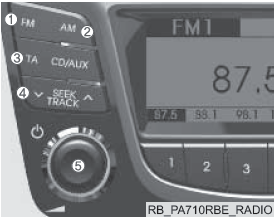
CD Player: PA710RBE / PA710RBEBT
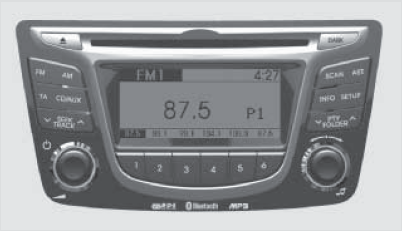
If the Bluetooth® function is not supported, the logo ( ) will not be displayed.
Test yourself
A quick Hyundai Solaris quiz: every answer comes with an explanation and a link to the manual page.