Collision Avoidance Assist (During Parallel Parking Exit)
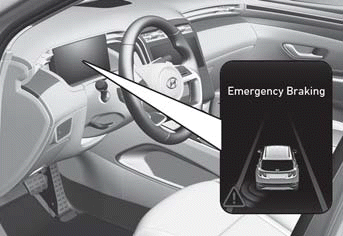
To warn you of a possible collision, the indicator light on the outside mirror may flash, a warning message may appear on the instrument cluster, and a warning chime may sound.
- Blind-Spot Collision-Avoidance Assist operates when your vehicle speed is below 3 km/h and the speed of the vehicle in the blind spot is above 5 km/h.
- Blind-Spot Collision-Avoidance Assist may help brake your vehicle to avoid a collision.
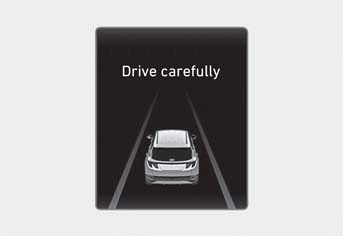
After your vehicle has stopped following an emergency braking event, a "Drive Carefully" warning message may appear on the instrument cluster.
Immediately depress the brake pedal and check your surroundings.
- Braking control ends approximately 2 seconds after your vehicle has stopped following an emergency braking event.
WARNING
Blind-Spot Collision-Avoidance Assist may not operate in all situations and cannot avoid all collisions.
To avoid serious injury or death:
- Change the settings only after parking your vehicle in a safe place.
- Blind-Spot Collision-Avoidance Assist may not operate if the system determines that you have depressed the brake pedal sufficiently in response to a potential hazard detected by the system.
- If Blind-Spot Collision-Avoidance Assist is assisting braking and you excessively depress the accelerator pedal or turn the steering wheel sharply, it stops the assisted braking.
- During Blind-Spot Collision-Avoidance Assist operation, your vehicle may stop suddenly. Always wear your seat belt, make sure your passengers' seat belts are fastened, and secure loose items that could become projectiles.
- Even if there is a problem with Blind-Spot Collision-Avoidance Assist, your vehicle's brake system operates normally.
- Always stay in control of your vehicle. Always maintain a safe distance from the vehicle ahead and adjust your speed according to road conditions.
- Never attempt to deliberately activate the system to drive toward people, animals, objects, or other vehicles.
- When another system warning message appears or a warning sound is heard, Blind-Spot Collision-Avoidance Assist may not warn you.
- You may not hear the Blind-Spot Collision-Avoidance Assist warning chime if the surrounding environment is too noisy.
WARNING
Braking is not supported and only a warning is issued when:
- The ESC (Electronic Stability Control) warning light is illuminated.
- The ESC (Electronic Stability Control) is controlling braking force to the wheel.
Information
Images and colors in the instrument cluster may differ depending on the cluster type or the theme selected from the Settings menu.
Test yourself
A quick Hyundai Tucson LM quiz: every answer comes with an explanation and a link to the manual page.