Auto Download (Phonebook)
press Press the key. Select [Phone]. Select [Auto Download].
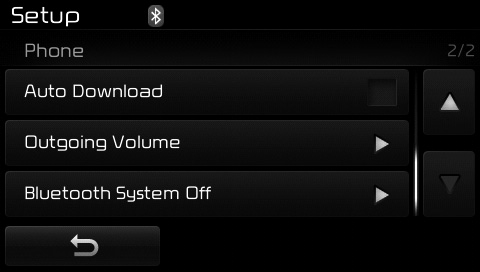
This feature is used to automatically download mobile phone entries whenever a Bluetooth® wireless technology phone is connected.
✽ NOTICE
- The auto download feature will download mobile phone phonebook entries each time the phone is connected. The download time may vary depending on the number of stored phonebook entries and the connection status.
- Before downloading the phonebook, first check that your mobile phone supports the phonebook download function.
Outgoing Volume
pressPress the key. Select [Phone]. Select [Outgoing Volume].
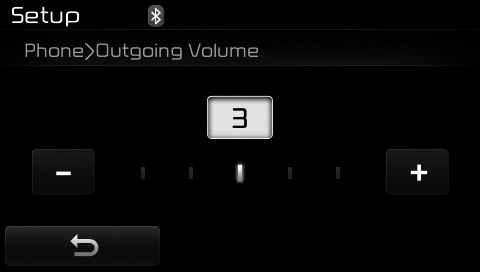
Use ,
 Use the buttons to adjust the outgoing volume level.
Turning Off the Bluetooth System
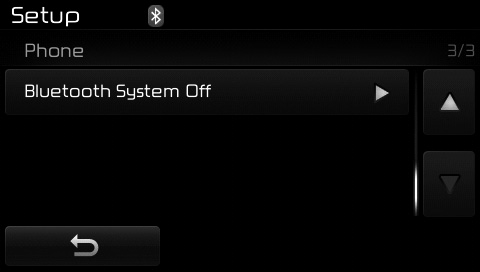
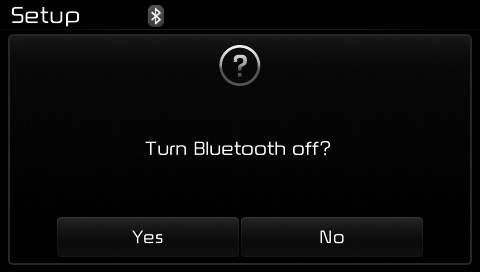
pressPress the key. Select [Phone]. Select [Bluetooth System]. Select [Off].
Once Bluetooth® wireless technology is turned off, functions related to Bluetooth® wireless technology will not be supported by the audio system.
✽ NOTICE
To turn Bluetooth® wireless technology on again, go to [Phone] and select "Yes".
CAUTION
Bluetooth® wireless technology audio streaming may not be supported on some Bluetooth® wireless technology phones.
Test yourself
A quick Kia Cee'd quiz: every answer comes with an explanation and a link to the manual page.