Display Settings
Adjusting the Brightness
press Press the key. Select [Display], then select [Brightness].
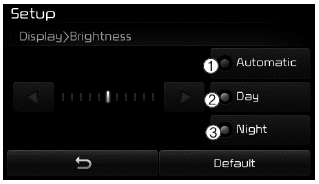
Use ,
 Use the buttons to adjust the screen brightness, or set the brightness to Auto, Day or Night mode.
press button to reset.
(1) Auto: Adjusts the brightness automatically
(2) Day: Always keeps the brightness high
(3) Night: Always keeps the brightness at minimum
Mode Pop-up
pressPress the key. Select [Display], then select [Pop-up Mode].
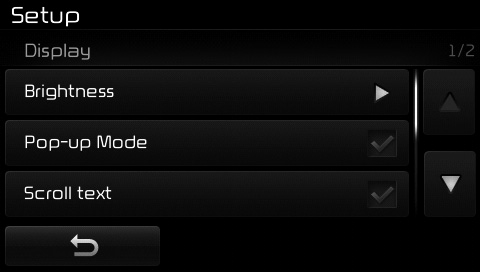
This function is used to display the Pop-up Mode screen when entering radio and multimedia modes.
When this function is turned on, pressing the or
 key will display the Pop-up Mode screen.
✽ NOTICE
The multimedia Pop-up Mode screen can only be displayed when two or more multimedia modes have been connected.
Scroll Text
pressPress the key. Select [Display], then select [Scroll Text].
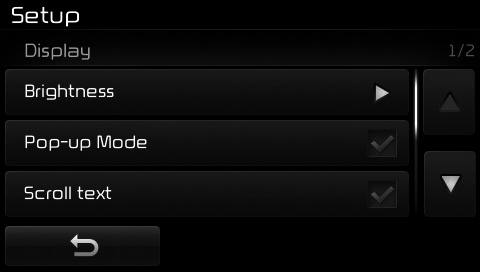
This function is used to scroll displayed text on the screen when it is too long to be displayed at once.
When turned on, the text scrolls repeatedly. When turned off, the text scrolls only once.
MP3 Information Display
pressPress the key. Select [Display], then select [Song Information].
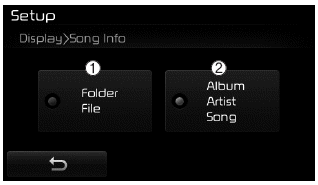
This function is used to change the information displayed in USB and MP3 CD modes.
(1) File Folder: Displays the file name and folder name
(2) Album Artist Song: Displays the album name/artist name/song
Test yourself
A quick Kia Cee'd quiz: every answer comes with an explanation and a link to the manual page.