Steering
MDPS ECU
In this manual: Steering
15steps
~90min
4/5difficulty
Done 0 of 15
Repair Procedures
Replacement
- Disconnect the battery negative cable.
- Remove the lower instrument panel cover. (Refer to Body - "Lower Instrument Panel Cover")
- Disconnect the MDPS ECU connector.
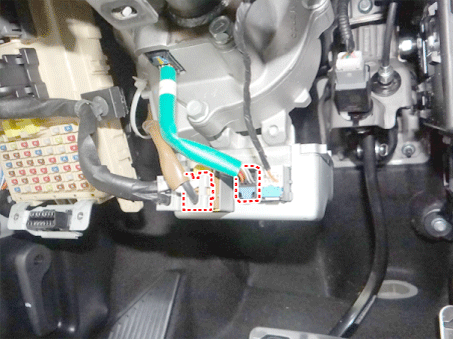
- Loosen the bolts and remove the MDPS ECU.
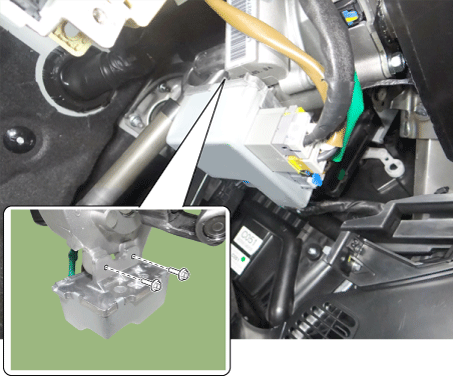
- Installation is the reverse of removal.
- Perform “Steering Angle Sensor (SAS) Calibration” and “Steering Torque Zero Point Setting”.
- Turn the IGN switch OFF and wait 10 seconds or more. Then check operation after starting the engine.
Diagnosis Using KDS
Steering Angle Sensor (SAS) Calibration and Steering Torque Zero Point Setting- Connect the self-diagnosis connector (16-pin) located under the driver's side panel to the self-diagnosis device, then turn the self-diagnosis device on after turning the ignition key ON.
- On the KDS vehicle selection screen, select the "Vehicle Model" and "Motor Driven Power Steering".
- On the KDS screen, select "Steering Angle Sensor (SAS) Calibration", then select "OK".
- Continue the test according to the instructions on the screen.

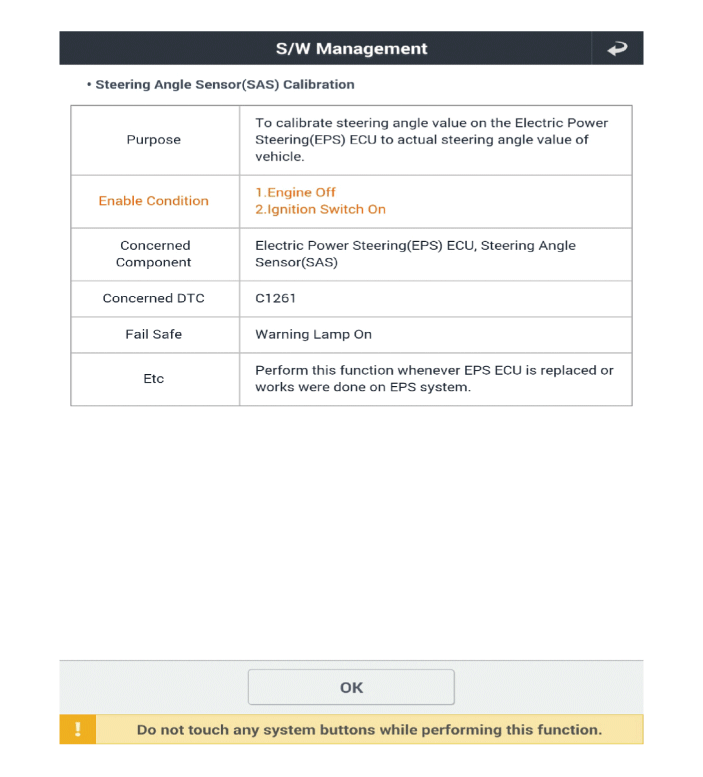
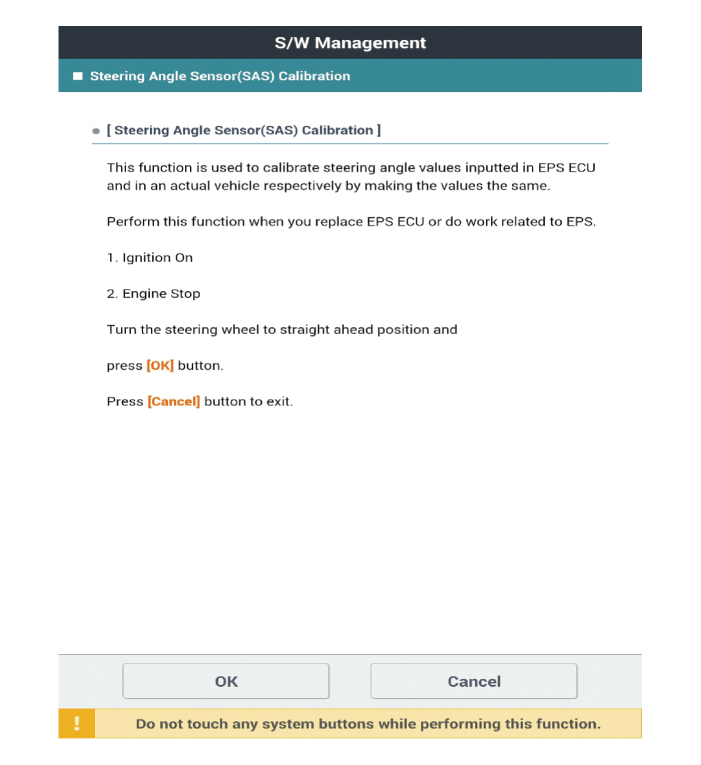
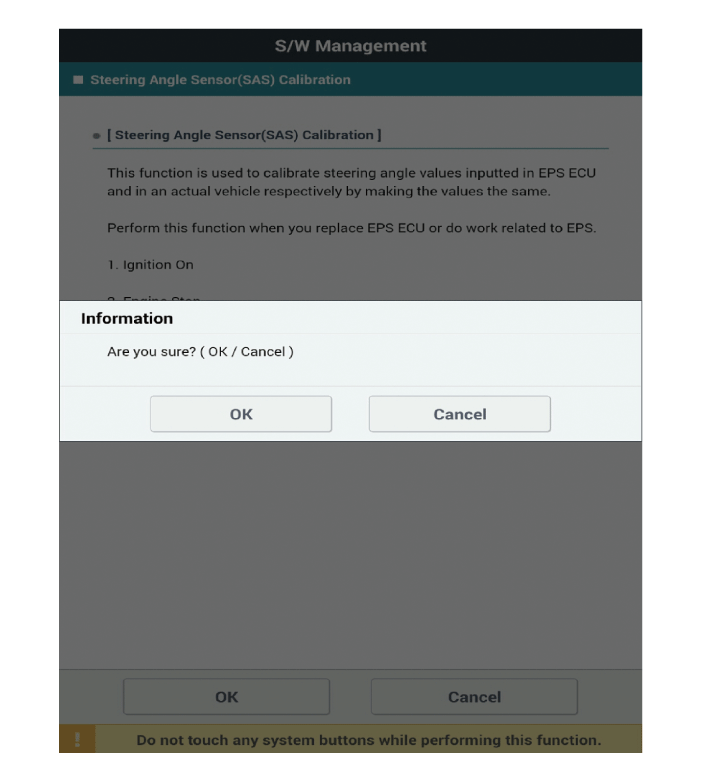
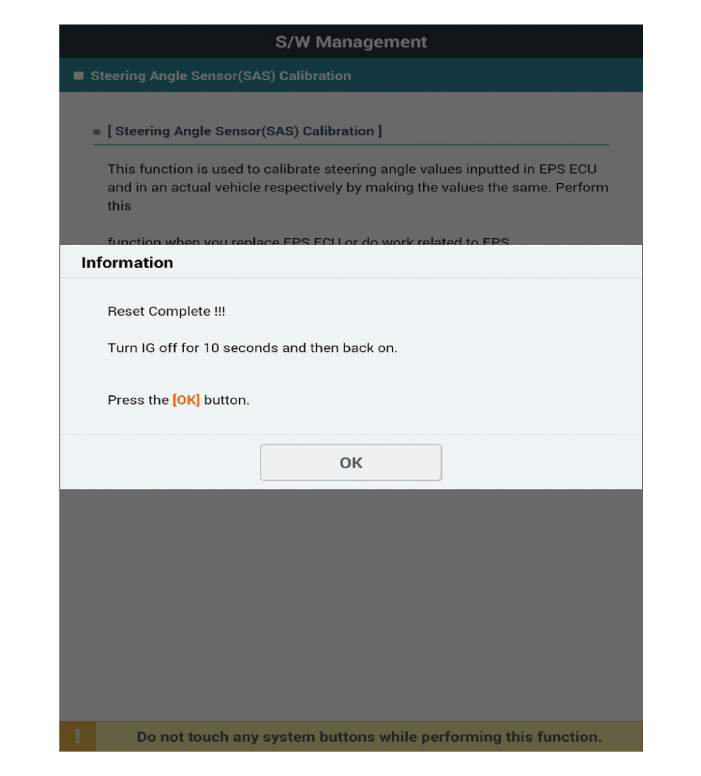
- On the KDS screen, select "Set Steering Wheel Torque Zero Point", then select "OK".
- Continue the test according to the instructions on the screen.

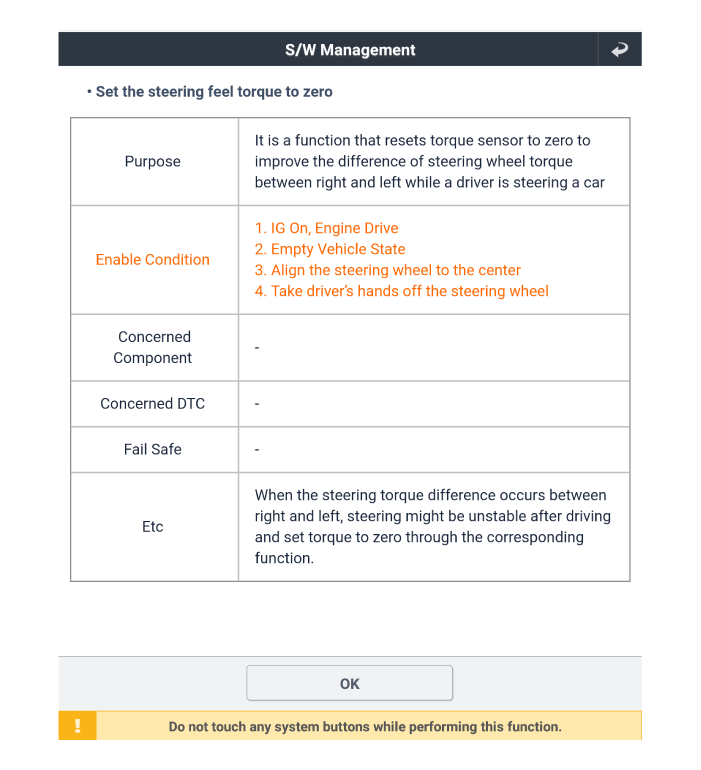


- Clear the diagnostic trouble code.
- Turn the IG switch OFF and wait at least 10 seconds before starting the engine. Then check that the MDPS operates correctly.
Test yourself
A quick Kia Picanto JA quiz: every answer comes with an explanation and a link to the manual page.
Was this page helpful?