Trip Information (Trip Computer)
The trip computer is a microcomputer-controlled driver information system that displays information related to driving.
NOTICE
Some driving information stored in the trip computer is reset if the battery is disconnected.
Trip Modes
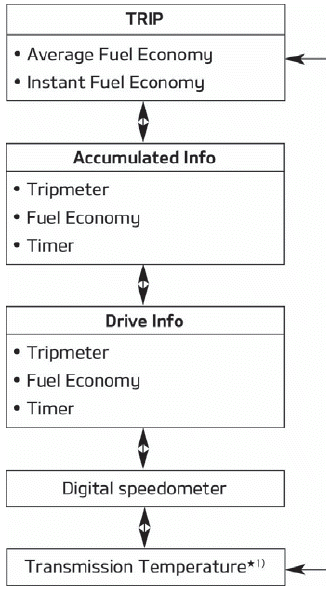
To change the trip mode, scroll the switch ( ) on the steering wheel.
Fuel Economy
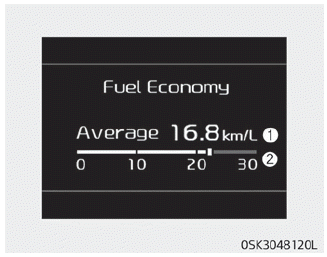
Average Fuel Economy (1)
- The average fuel economy is calculated from the total distance driven and fuel consumption since the last average fuel economy reset.
- Fuel economy range: 0 ~ 99.9 km/L, L/100 km or mpg - The average fuel economy can be reset either manually or automatically.
Manual Reset
To reset the average fuel economy manually, press and hold the OK button on the steering wheel for more than 1 second while the average fuel economy is displayed.
Automatic Reset
To have the average fuel economy reset automatically every time you refuel, select the "Auto Reset Fuel Economy" mode in the "User Settings" menu of the LCD display (see "LCD Displays" on page 4-51).
- OFF - You can reset the value manually using the reset button of the disconnect switch.
- After ignition ON - The vehicle automatically returns to the default mode once 4 hours after the ignition is turned OFF.
- After refueling - After refueling more than 6 liters and driving 1 km/h, the vehicle automatically returns to the initial state.
NOTICE
The average fuel economy is not displayed for more accurate calculation if the vehicle has not driven more than 10 seconds or 50 meters (0.03 miles) after the ignition switch or Engine Start/Stop button is in the ON position.
Instant Fuel Economy (2)
• In this mode, the instantaneous fuel economy over the last few seconds is displayed when the vehicle speed exceeds 10 km/h.
- Fuel economy range:
0.0 ~ 30 km/L, L/100 km or 0.0 ~ 50.0 mpg
Accumulated Driving Information Mode
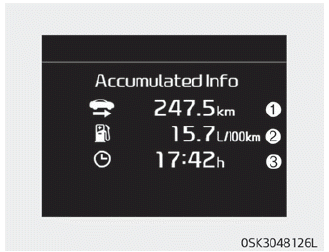
This display shows the accumulated distance (1), average fuel economy (2), and total driving time (3).
- Accumulated information is calculated after the vehicle has traveled more than 300 meters.
- If you press and hold the OK button for more than 1 second while the trip summary is displayed, the information will be reset.
- If the engine is running, information will accumulate even when the vehicle is not moving.
One-Time Driving Information Mode
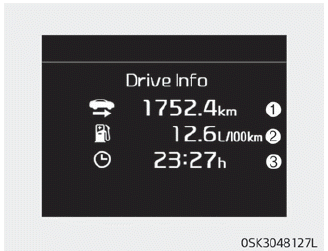
This display shows the distance driven (1), average fuel economy (2) and total driving time (3) once per ignition cycle.
- Fuel economy is calculated after the vehicle has driven more than 300 meters.
- Driving information will be reset 4 hours after the ignition is turned OFF. Therefore, if the ignition is turned ON within 4 hours, the information will not be reset.
- If you press and hold the OK button for more than 1 second while the driving information is displayed, the information will be reset.
- If the engine is running even when the vehicle is not moving, the information will continue to accumulate.
Digital Speedometer
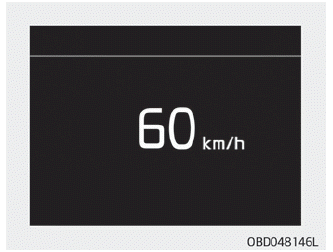
This mode displays the current vehicle speed.
Test yourself
A quick Kia Soul Owner's Manual quiz: every answer comes with an explanation and a link to the manual page.