Audio menu
Listening pleasure at its best: the Audio menu of the Mercedes E-Class (4th gen., W212, 2009–2016) allows simple control of radio, media player or TV. Depending on equipment, a wide range of audio sources can be selected quickly. The clear design lets you stay focused on the road while enjoying the best entertainment.
Selecting radio stations
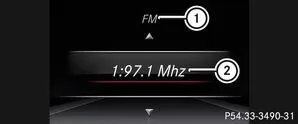
 |
Active station list |
 |
Stations with memory location |
 with frequency or station name. Only if the stationis stored, the memory location is also displayed.
 Switch on Audio 20 or COMAND Online and select radio (see separate operator's manual).
Using the or
 Select the Audio menu on the steering wheel.
Vehicles with Audio 20:
To select a station from the memory list: briefly press or
 press.
To select a station from the station list: press and holdorpress.
To select the memory list or station list: press and holdoruntil the memory list or station list for the desired frequency band appears.
To select a station: briefly pressorpress.
Info
DAB radio mode (Digital Audio Broadcasting) is a digital broadcasting standard optimized for mobile reception of radio programs.
Operating the audio drive or media
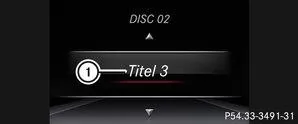
Depending on equipment, you can play audio files from various audio drives or media.
Switch on Audio 20 or COMAND Online and select CD audio or MP3 mode (see separate operator's manual).Using theorSelect the Audio menu on the steering wheel.
To select the next or previous track: briefly pressorpress.To select a track from the track list (fast browse):orpress and hold until the desired trackappears.
If youorIf held longer, fast forward speeds up after a short time. Not all audio drives or media support this function.
If track information is stored on the audio drive or media, the multifunction display shows the track number and name.
Operating DVD video
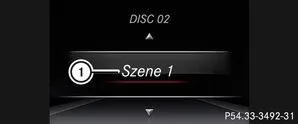
DVD videos can be operated in the Audio menu only in vehicles with COMAND Online.
Switch on COMAND Online and select DVD video (see separate operator's manual).Using theorSelect the Audio menu on the steering wheel.
To select the next or previous scene: briefly pressorpress.To select a scene from the scene list (fast browse):orpress and hold until the desired sceneis reached.
Operating the TV
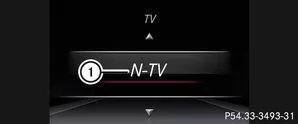
Only on vehicles with COMAND Online can you select the TV station in the Audio menu.
Only if the stationis stored, the memory location is also displayed.Switch on COMAND Online and select TV (see separate Operator's Manual).
Using theorSelect the Audio menu on the steering wheel.
Select a stored station: Briefly pressorpress.
Select a station from the station list: Press and holdorpress.
Info
Store the TV stations in COMAND Online (see separate Operator's Manual).
Depending on the digital TV station, radio stations can also be received. The multifunction display shows TV (RADIO).
The Audio menu of the Mercedes E-Class W212 (model years 2009–2016) provides quick access to radio stations, media and TV (with COMAND Online). The clear display supports intuitive operation and ensures top entertainment while driving.
Whether digital radio station, MP3 file or DVD, the system offers a wide range of options and adapts flexibly to the driver's preferences.
Test yourself
A quick Mercedes-Benz E-Class quiz: every answer comes with an explanation and a link to the manual page.