Phone menu
Phone safely on the go: The "Phone" menu in the Mercedes E-Class (4th gen., W212, 2009–2016) offers functions such as Bluetooth connection, access to the phone book and redial. The clear menu structure reduces distraction and supports compliance with legal requirements, so your eyes stay on the road.
Introduction
WARNINGIf you operate integrated information systems and communication devices while driving, you are distracted from the traffic situation. You may also lose control of the vehicle. There is a risk of accident!
Operate these devices only when the traffic situation allows it. If you cannot ensure this, stop safely in accordance with traffic regulations and make entries with the vehicle stationary.When using the phone, observe the legal regulations of the country in which you are currently located.
 Switch on the mobile phone (see the manufacturer's operating instructions).
Switch on Audio 20 or COMAND Online (see separate operator's manual).
Place the mobile phone in the mobile phone holder .or
Establish a Bluetooth connection to Audio 20 or COMAND Online (see separate Operator's Manual).
Establish a Bluetooth connection to Audio 20 or COMAND Online (see separate Operator's Manual).
Using the or
 Select the Tel menu on the steering wheel.
One of the following messages appears in the multifunction display:
- Phone ready or name of the mobile network provider: The mobile phone has found a network and is ready to receive.
- Phone No Service: No network is available or the mobile phone is searching for a network.

- at your Mercedes-Benz Service Center
- on the Internet at
Accept call
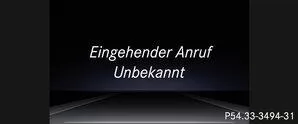
Using the Accept the call on the steering wheel.
When you receive a call while in the Tel menu, the multifunction display shows a message.
If you are not in the Tel menu, you can still accept a call.Reject or end call
Using the button on the steering wheel.
If you are not in the Tel menu, you can still reject or end a call.
Select an entry from the phone book
Using theorSelect the Tel menu on the steering wheel.Using the or
 or
 Switch to the phone book.
Authorize access to the phone book on the phone.Using theorSelect the desired name.
Start fast scrolling: Press the buttonorand hold it for more than one second.
If only one phone number is stored for a name: Pressorto start dialing.
If more phone numbers are stored for a name: Pressorto display the phone numbers.
Using theorSelect the desired phone number.
Using theorto start dialing.
or
Exit the phone book: Pressor press.
Redial
The on-board computer stores the most recently dialed names or phone numbers in the redial memory.Using theorSelect the Tel menu on the steering wheel.
Using theSwitch to the redial memory.
Using theorSelect the desired name or phone number.
Using theorto start dialing.
or
Exit the redial memory: Pressorpress.The phone menu of the Mercedes E-Class W212 (model years 2009–2016) combines comfort with safety. Simple operation via the multifunction steering wheel lets you accept or end calls and select contacts, all without taking your eyes off the road.
The clear structure and safety notes underline the high standard of the E-Class in communication and safety.
Question: How is the phone operated while driving?
Answer: Using the buttons on the steering wheel, which avoids distraction and increases safety.
Question: When does the message "Phone No Service" appear?
Answer: When no mobile network is available or the phone is searching for a network.
Test yourself
A quick Mercedes-Benz E-Class quiz: every answer comes with an explanation and a link to the manual page.