Forward Collision Alert
Forward collision alert can help avoid or reduce the damage caused by a frontal collision. If you approach a vehicle directly ahead too quickly, a warning chime sounds and an alert is displayed in the driver information center.
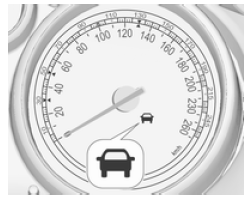
The green forward vehicle symbol is displayed on the speedometer
when the system has detected a vehicle in the lane of travel.
The precondition is that forward collision alert is activated in the vehicle personalisation menu 116 or is not deactivated by the button (depending on the system, see below).
Depending on the vehicle equipment, two variants are available for forward collision alert:
- Forward collision alert based on radar system
on vehicles equipped with adaptive cruise control 167.
- Forward collision alert based on front camera system
on vehicles without conventional cruise control 166.
Forward collision alert based on radar system
The system uses the radar sensor behind the radiator grille to detect a vehicle directly ahead, in the same lane, at a maximum distance of 150 metres.
Activation
Forward collision alert operates automatically at speeds above walking pace, provided the Collision Preparation setting is not deactivated in the vehicle personalisation menu 116.
Selecting alert sensitivity
Alert sensitivity can be set to near, medium or far.
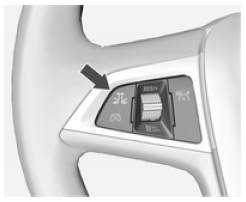
Press the button to
display the current setting in the driver information center. Press the E button again to change the alert sensitivity.
The setting is also shown on the top line of the driver information centre.
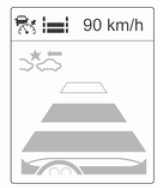 Note that
the alert timing sensitivity setting is shared with the adaptive cruise control forward distance setting. Therefore, changing the alert timing sensitivity also changes the adaptive cruise control forward distance setting.
Driver alert
 When
another vehicle is approached too quickly, the collision alert page is displayed in the driver information center. At the same time, an audible signal sounds. Press the brake pedal if the situation requires it.
Settings
Settings can be changed in the Collision Preparation menu of vehicle personalisation 116.
Forward collision alert based on front camera system
Forward collision alert uses the front camera system in the windshield to detect a vehicle directly ahead, in the same lane, up to a distance of approximately 60 metres.
Activation
Forward collision alert operates automatically at speeds above 40 km/h, unless it is deactivated with the V button, see below.
Selecting alert sensitivity
Alert sensitivity can be set to near, medium or far.
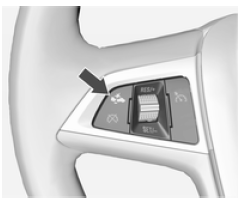
Press the button to
display the current setting in the driver information center. Press the V button again to change the alert sensitivity.
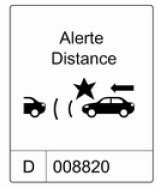
Driver alert
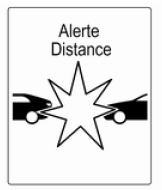 When
another vehicle is approached too quickly, the collision alert page is displayed in the driver information center. At the same time, an audible signal sounds. Press the brake pedal if the situation requires it.
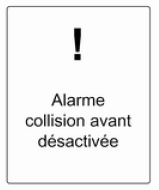
Deactivation
The system can be deactivated. Press the button as often
as necessary until the following message appears in the driver information center.
 General information
on both variants of forward collision alert
Caution
Forward collision alert is a warning system only and does not apply the brakes. If you approach another vehicle too quickly, there may not be enough time to avoid a collision.
The driver accepts full responsibility for the following distance, based on visibility, weather and traffic conditions.
The driver's full attention is required at all times while driving the vehicle. The driver must always be ready to act and apply the brakes.
System limitations
The system is designed to detect vehicles only, but it may also react to other metallic objects.
In the following cases, forward collision alert may not detect a vehicle ahead or sensor performance may be limited:
- on winding roads,
- when weather limits visibility, for example in fog, rain or snow,
- when the sensor is blocked by snow, ice, slush, mud or dirt, or if the windshield is damaged.
Test yourself
A quick Opel Insignia quiz: every answer comes with an explanation and a link to the manual page.