Audio system
AUX port/USB port
In this manual: Audio system
~1min read
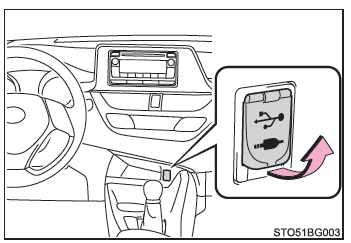
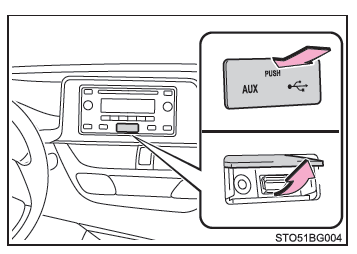
Connect an iPod, USB flash drive or portable audio player to the AUX port/USB port as shown below. Press the "MEDIA" (Type A) or "MODE" (Type B) button to select "iPod", "USB" or "AUX".
Connecting to the AUX port/USB port
Type A
Type B
- iPod
Open the cover and connect an iPod using the iPod cable.
Turn on the iPod if it is not already on.
- USB flash drive
Open the cover and connect the USB flash drive.
Turn on the USB flash drive if it is not already on.
- Portable audio player
Open the cover and connect the portable audio player.
Turn on the portable audio player if it is not already on.
WARNING■ While driving Do not connect a device or operate its controls.
Was this page helpful?