Accéder au manuel du propriétaire sur l'écran central
Le manuel numérique du propriétaire est accessible depuis l'écran central. Le contenu est facile à trouver et les sections sont conçues pour une navigation simple.
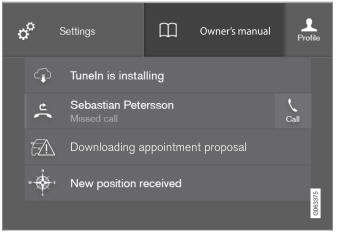
Le manuel du propriétaire est accessible depuis le véhicule.
- To open the Owner's Manual, pull down Top view in the center display and tap Owner's manual.
Il existe plusieurs façons de rechercher des informations dans le manuel du propriétaire. Les options sont accessibles depuis la page d'accueil du manuel du propriétaire et depuis le menu supérieur.
Ouvrir le menu supérieur
Tap  in the upper list in the Owner's Manual.
- Le menu s'affiche avec différentes options de recherche d'informations :
Page d'accueil

Appuyez sur le symbole pour revenir à la page d'accueil du manuel du propriétaire.
Catégories

Les articles du manuel du propriétaire sont structurés en catégories principales et sous-catégories. Un même article peut apparaître dans plusieurs catégories pertinentes afin d'en faciliter la recherche.
- Appuyez sur Catégories.
- Les catégories principales sont listées.
- Tap a main category (
 ).
- A list of sub-categories (
 ) and articles (
 ) will appear.
- A list of sub-categories (
- Appuyez sur un article pour l'ouvrir.
Pour revenir en arrière, appuyez sur la flèche gauche.
Articles favoris

Tap the symbol to go to a page with links to a selection of useful articles about the vehicle's more commonly used features and functions. The articles can also be accessed via categories, but have been collected here for quicker access. Tap an article to read it in its entirety.
Zones sensibles extérieures et intérieures
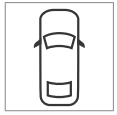
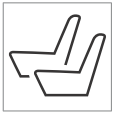
Vue extérieure et intérieure du véhicule. Des zones sensibles sont prévues pour certaines fonctions, certains composants, etc. Appuyez sur une zone sensible pour accéder à l'article correspondant.
- Press Exterior or Interior.
- Les images extérieures ou intérieures du véhicule présentent des zones sensibles. Ces zones mènent aux articles relatifs à la fonction, au composant, etc. correspondant. Faites défiler l'écran horizontalement pour passer d'une image à l'autre.
- Tap a hotspot.
- Le titre de l'article correspondant s'affiche.
- Appuyez sur le titre pour ouvrir l'article.
Pour revenir en arrière, appuyez sur la flèche gauche.
Favoris

Appuyez sur le symbole pour accéder aux articles enregistrés en favoris. Appuyez sur un article pour le lire en entier.
Ajouter ou supprimer des articles favoris
Save an article as a favorite by tapping the at the upper right when the article is open. When an article has been saved as a favorite, the star symbol will be filled in:  .
Pour supprimer un article de la liste des favoris, appuyez de nouveau sur son étoile.
Vidéos

Tap the symbol to go to brief instructive videos for various functions in the vehicle.
Informations

Tap the symbol for information about the current version of the Owner's Manual in your vehicle and other useful information.
Utilisation de la fonction de recherche dans le menu supérieur
- Tap
 in the Owner's Manual upper menu. A keyboard will appear at the bottom of the screen.
- Enter a search word, e.g. "seat belt".
- Suggested articles and categories will be displayed as characters are entered.
- Appuyez sur un article ou une catégorie pour le lire.
Informations associées
- Manuel du propriétaire sur l'écran central
- Utilisation du clavier de l'écran central
- Utilisation du manuel du propriétaire
Testez-vous
Un quiz rapide sur Volvo XC90 : chaque réponse est expliquée, avec un lien vers la page du manuel.