Using the Voice Recognition Phone System
Pulsanti di controllo del telefono
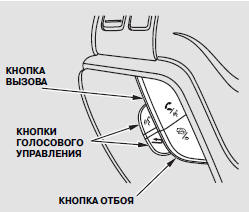
CALL BUTTON - Press and release this button to give a voice command or answer a call.
END/BACK BUTTON - Press and release this button to end a call, return to the previous command, or cancel a command.
Voice Command Tips
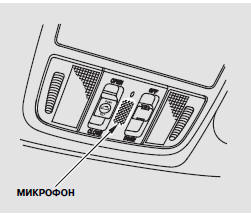
• Air noise from the vents on the control panel or through the windows may interfere with the microphone. Adjust their position or close them completely if necessary.
• Press and release the call button before speaking a command. Clearly speak the command in a normal voice after the short beep.
• Try to reduce background noise.
If the microphone picks up sounds other than your voice, the command may not be recognized.
• Many commands can be spoken continuously. For example, you can say "Call 123-456-####" or "Dial Peter".
• While the voice recognition phone system is active, navigation system voice commands are not recognized.
• To adjust the volume of the voice recognition phone system, use the audio system volume knob or the buttons on the steering wheel.
Voice Recognition Phone System Help
• To hear an overview of the voice recognition phone system, including information on using the voice buttons, voice commands, and phone calls, say "Tutorial".
• You can get help at any time, including voice command help, by saying "Hands free help".
Display informativo
An incoming call notification message will appear on the information display as shown in the illustration.
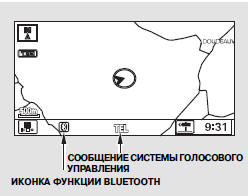
When an incoming call is received or the voice recognition phone system is in use, the "TEL" message appears at the bottom of the screen.
However, when the current street and the AUDIO INFO icon are displayed on the screen, the "TEL" message does not appear for an incoming call.
Bluetooth Function Icon is displayed on the screen when a connection to the phone is established.
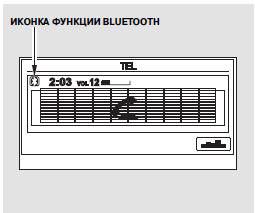
The incoming call or voice recognition phone system message is displayed on the navigation system screen when the audio system is on.
Spia is displayed when a connection to the phone is established.
Mettiti alla prova
Un breve quiz sulla Honda CR-V: ogni risposta ha una spiegazione e un link alla pagina del manuale.