Contacting the Nearest BMW Service Center
The navigation system can show you the location of the nearest BMW Service Centers.
You can call a BMW Service Center or enter its address as a destination for the navigation system.
The mobile phone in the vehicle must be registered.
1. Insert the navigation DVD.
2. Press the button .
The main menu opens.
3. Push the controller forward to open the "Communication" menu.
4. Select "BMW Contact" and press the controller.

5. Select "Nearest BMW dealer" and press the controller.
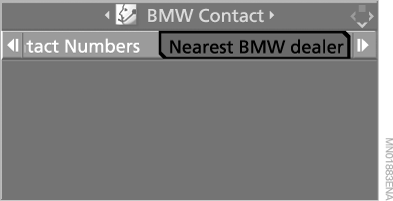
A list of nearby BMW dealers is shown on the display.
To call a BMW dealer:
1. Select a BMW dealer and press the controller.
2. Select "Place call" and press the controller.
A telephone connection to the dealer is established.
To enter the address of a BMW dealer as a destination for the navigation system:
1. Select a BMW dealer and press the controller.
2. Select "Accept as destination" and press the controller.
The address of the BMW dealer is accepted and route guidance to the destination starts.
Test yourself
A quick BMW X5 quiz: every answer comes with an explanation and a link to the manual page.