MULTIMEDIA
Sound Settings
In this manual: MULTIMEDIA
7steps
~42min
2/5difficulty
Done 0 of 7
Press the "Audio" button on the main Settings menu to activate the sound settings screen.
Sound settings can also be accessed from the radio mode screen by pressing the Audio button. You can return to the Radio screen by pressing the X button.
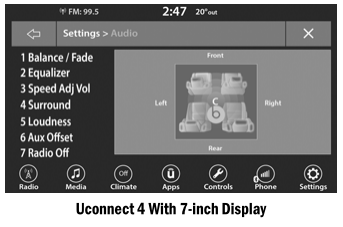
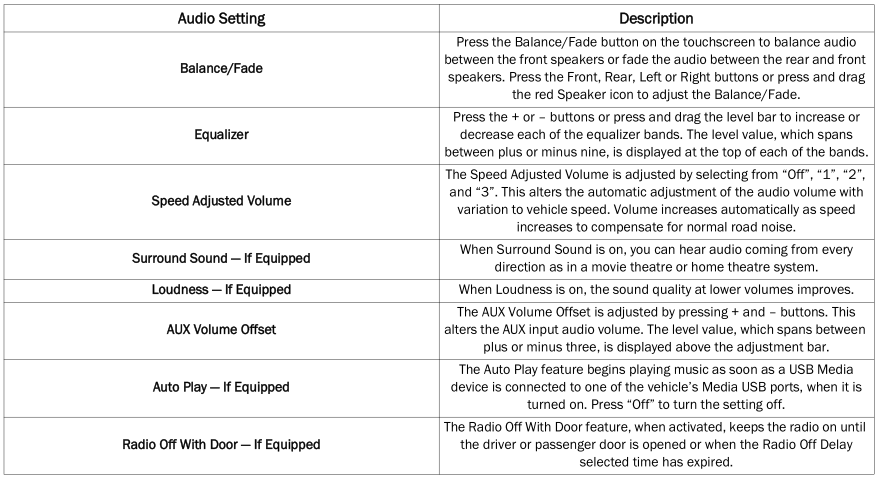
- Balance/Fade
- Equalizer
- Speed-Adjusted Volume
- Surround Sound
- Volume
- AUX Volume Offset
- Radio Off with Door
Test yourself
A quick Dodge Charger quiz: every answer comes with an explanation and a link to the manual page.
Was this page helpful?