Smart Cruise Control Vehicle-to-Vehicle Distance
Setting the Vehicle-to-Vehicle Distance
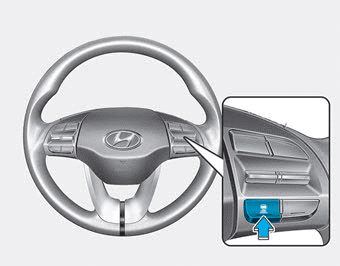
When the Smart Cruise Control system is on, you can set and maintain the distance from the vehicle ahead without pressing the accelerator or brake pedal.
Each time the button is pressed, the vehicle-to-vehicle distance changes as follows:
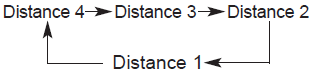
For example, if you are driving at 56 mph (90 km/h), the distance is maintained as follows:
Distance 4 - approximately 172 ft
Distance 3 - approximately 130 ft
Distance 2 - approximately 106 ft
Distance 1 - approximately 82 ft
Information
The distance is set to the last selected distance when the system is used for the first time after starting the engine.
When the lane ahead is clear:
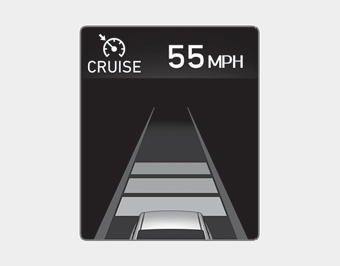
The vehicle will maintain the set speed.
If there is a vehicle ahead of you in your lane:
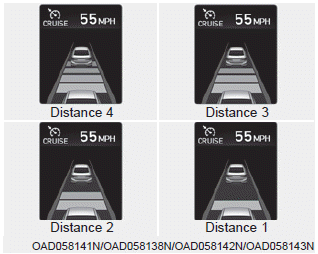
- Your vehicle speed will decrease or increase to maintain the selected distance.
- If the vehicle ahead accelerates, your vehicle will accelerate to the set speed and then continue at a steady cruising speed.
WARNING
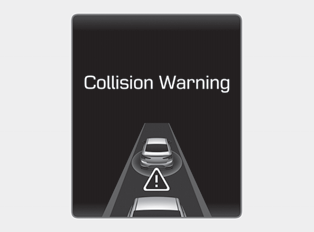
When using the Smart Cruise Control system:
- A warning message appears and a warning chime sounds if the vehicle cannot maintain the selected distance to the vehicle ahead.
- If the warning chime sounds, press the brake pedal to actively adjust the vehicle speed and the distance to the vehicle ahead.
- Even if the warning chime does not sound, always pay attention to driving conditions to prevent dangerous situations.
- Playing the vehicle's audio system at a high volume may prevent passengers from hearing the system's warning sounds.
CAUTION
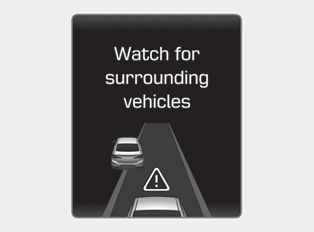
If a vehicle ahead moves into the next lane (vehicle speed: below 30 km/h), a warning chime sounds and the message "Watch for Surrounding Vehicles" appears. Adjust your vehicle speed by pressing the brake pedal for vehicles or objects that may suddenly appear in front of you.
Always pay attention to the road conditions ahead.
Test yourself
A quick Hyundai Elantra AD quiz: every answer comes with an explanation and a link to the manual page.