Driving Your Vehicle
Warning Type
In this manual: Driving Your Vehicle
~2min read
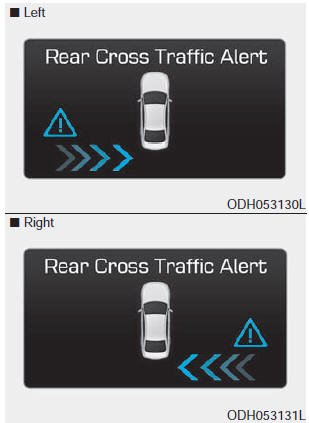
If a vehicle approaching your vehicle is detected by the sensors, a warning chime will sound, the warning light on the outside rearview mirror will flash, and a message will appear on the LCD display.
✽ NOTICE
- If the detected vehicle is outside the detection range of your vehicle, slowly move away from the detected object; the warning will be canceled.
- The system may malfunction due to other factors or conditions. Always pay attention to your surroundings.
- If the left or right side bumper of your vehicle is blocked by a barrier or vehicles, the system's detection capability may be reduced.
WARNING
- The warning light on the outside rearview mirror will illuminate whenever a vehicle is detected on the rear side of the system. To avoid accidents, do not focus only on the warning light and neglect viewing the vehicle's surroundings.
- Drive safely even if the vehicle is equipped with the Blind-Spot Detection (BSD) and Rear Cross-Traffic Alert (RCTA) systems. Do not rely solely on the system; check your surroundings before changing lanes or reversing the vehicle. The system may not warn the driver under some conditions, so always check the surroundings while driving.
- The Blind-Spot Detection (BSD) and Rear Cross-Traffic Alert (RCTA) systems are not a substitute for proper and safe driving practices. Always drive safely and use caution when changing lanes or reversing the vehicle. The Blind-Spot Detection (BSD) system cannot detect every object near the vehicle.
CAUTION
- The system may not operate properly if the bumper has been replaced or repair work has been performed near the sensor.
- The detection area varies depending on road width. If the road is narrow, the system may detect other vehicles in the next lane. Also, if the road is very wide, the system may not detect other vehicles.
- The system may be deactivated due to strong electromagnetic waves.
Test yourself
A quick Hyundai Genesis DH quiz: every answer comes with an explanation and a link to the manual page.
Was this page helpful?