Trip Odometer / Trip Computer (if equipped)
The trip computer is a driver information system, controlled by a microcomputer, that shows driving information on the display when the ignition switch is turned to ON. All stored driving information is reset if the battery is disconnected.
Press the TRIP button for less than 1 second to select any mode as follows: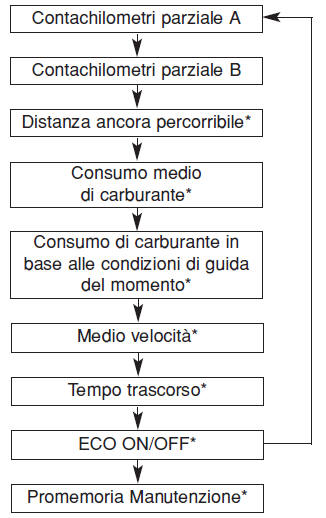
* if equipped
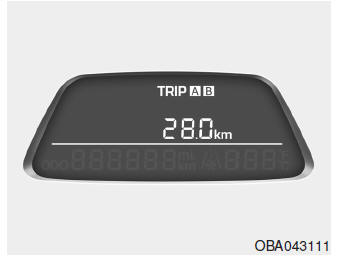
Trip Odometer (km or miles)
TRIP A: Trip Odometer A
TRIP B: Trip Odometer B
This mode shows the distance of each selected trip since the trip odometer was last reset.
The meter measures from 0.0 to 9,999.9 km (from 0.0 to 999.9 miles). Press and hold the RESET button for more than 1 second while the trip odometer is displayed to reset the displayed value to (0.0).
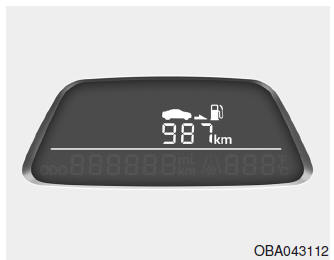
Distance to Empty (if equipped) (km or miles)
This mode shows the estimated distance that can still be driven with the fuel remaining in the tank and the fuel supplied to the engine. When the remaining distance is less than 50 km (30 miles), "---" is displayed.
The meter measures from 50 to 999 km (from 30 to 615 miles).
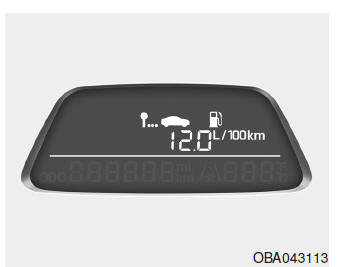
Average Fuel Economy (if equipped) (l/100 km or MPG)
This mode calculates the average fuel economy based on the total amount of fuel used and the distance since the average fuel economy was last reset. The total amount of fuel used is calculated from the incoming fuel consumption signal. For an accurate calculation, you must drive a distance of more than 300 m (0.18 miles).
Press and hold the RESET button for more than 1 second while the average fuel economy value is displayed to reset the displayed value to (---).
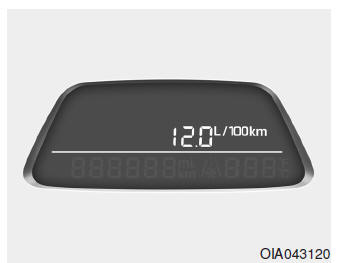
Instant Fuel Economy based on current driving conditions (if equipped) (l/100 km or MPG)
This mode calculates the fuel economy based on the current driving conditions over the last few seconds.
NOTE
- If the vehicle is not on level ground or the battery has been disconnected, the "Distance to Empty" function may not operate correctly.
- The trip computer may not register refuelling of less than 6 litres (1.6 gal) or no fuel added to the vehicle.
- Fuel economy and distance to empty may vary significantly depending on driving style, road conditions or vehicle condition.
- Distance to empty is an estimate of the available driving distance.
This may differ from the actual distance you can drive.
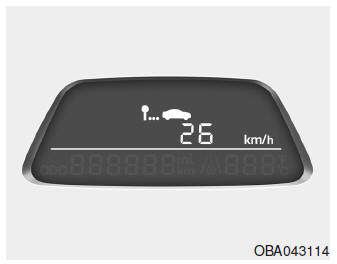
Average Speed (km/h or MPH)
This mode calculates the average speed of the vehicle since the last average speed reset.
Even when the vehicle is not moving, the average speed continues to increase if the engine is running.
Press and hold the RESET button for more than 1 second while the average speed value is displayed to reset the displayed value to (---).
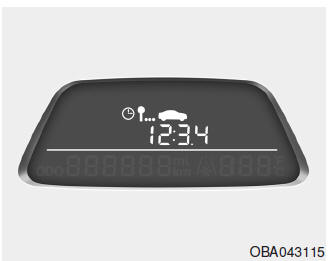
Elapsed Time (if equipped)
This mode shows the total driving time since the last reset.
Even when the vehicle is not moving, the driving time continues to increase if the engine is running.
The timer range is 00:00~99:59.
Press and hold the RESET button for more than 1 second while the driving time is displayed to reset it to (00:00).
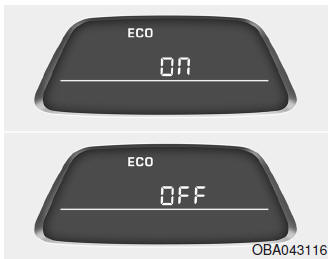
ECO ON/OFF Mode (if equipped)
In this mode, you can turn the ECO indicator on or off on the instrument cluster.
If you press and hold the RESET button for 1 second in ECO ON mode, ECO OFF appears on the display and the ECO indicator switches to OFF while driving.
To display the ECO indicator again, press and hold the RESET button for more than 1 second in ECO OFF mode, and ECO ON appears on the display.
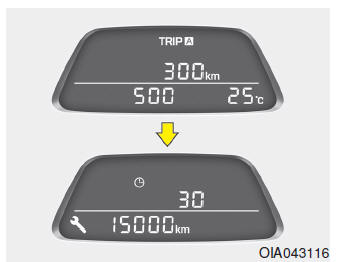
Maintenance Reminder Pop-up Warning
It calculates and displays when scheduled maintenance is due (by mileage or days) when the IGN is on (not including driving conditions).
If maintenance is due by mileage within 30 days or under 1,500 km (900 miles) from the scheduled maintenance, a Maintenance Reminder appears for 4 seconds with a warning buzzer that sounds once (if possible), and then the previous trip computer mode is displayed.
If you press the "TRIP" button for 4 seconds, the previous trip computer mode appears.
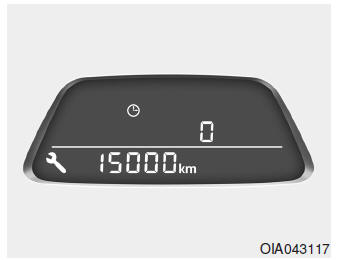
Maintenance Reminder Pop-up Symbol
If any of these values reaches "0", the key symbol flashes at 1 Hz and the maintenance reminder mode shows the distance and time values.
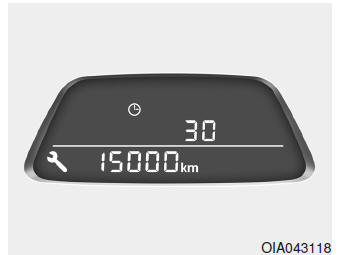
Maintenance Reminder Reset
The customer can reset the maintenance intervals using a special button code.
(1) When the vehicle is stopped, switch to the maintenance reminder mode of the trip computer.
(2) Then press and hold the "RESET" button for more than 5 seconds until the previous setting values flash (1 Hz).
(3) Press the "RESET" button again for more than 1 second until the previous maintenance reminder values are reset. (If the "RESET" button is released within 5 seconds or the trip computer is switched to another mode, the values stop flashing and the current maintenance reminder values appear again.)
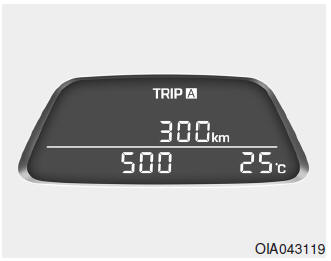
Maintenance Reminder Off
If the maintenance interval is not set, the maintenance reminder screen will not be displayed on the trip computer. It is recommended that you contact an authorized HYUNDAI dealer.
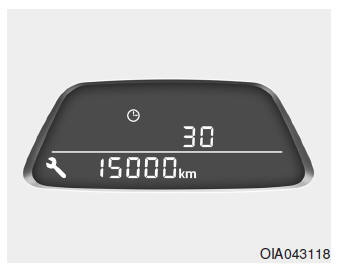
Maintenance Reminder Set
If the maintenance interval is set to 150 km and 1 month (30 days), it will appear on the trip computer for 4 seconds, and then the screen will return to the previous screen.
Test yourself
A quick Hyundai i10 quiz: every answer comes with an explanation and a link to the manual page.