Lead Vehicle Departure Alert
The Lead Vehicle Departure Alert system alerts the driver when the vehicle ahead departs while your vehicle is stopped and the Smart Cruise Control (SCC) system is operating.
System Settings and Operation
System Settings
The Lead Vehicle Departure Alert can be activated from the User Settings menu in the cluster LCD by following the procedure below.
1. Turn the ignition switch to the ON position.
2. Select "User Settings → Driver Assistance → Lead Vehicle Departure Alert" to display on the cluster LCD.
The system stops operating when the setting is turned off. However, if the engine is turned off and then back on, the system maintains the previous state.
System Standby Mode
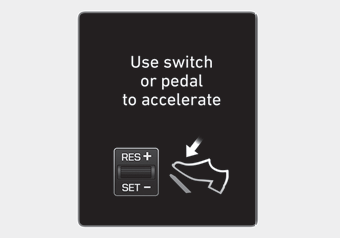
Use the switch or pedal to accelerate
While Smart Cruise Control (SCC) is operating, your vehicle stops behind the vehicle ahead when it comes to a stop. The message shown above is displayed on the cluster for 3 seconds after the stop, and the system will be in standby mode.
System Operation
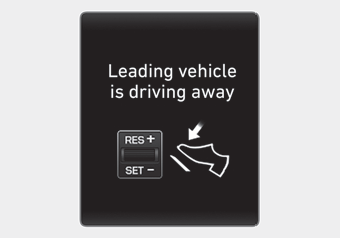
Lead vehicle departure
If the driver does not take action within a certain period of time after the vehicle ahead departs, the message shown above is displayed on the cluster.
The vehicle departs automatically if the accelerator pedal is pressed or the RES+ or SET- switch is pushed up or down when there is a vehicle ahead.
The Smart Cruise Control (SCC) system is deactivated if the accelerator pedal is pressed or the RES+ or SET- switch is pushed up or down when there is no vehicle ahead.
WARNING
Always check the front of the vehicle and road conditions before departing.
Test yourself
A quick Hyundai Palisade quiz: every answer comes with an explanation and a link to the manual page.