Driver Assistance System
Collision Warning
In this manual: Driver Assistance System
~2min read
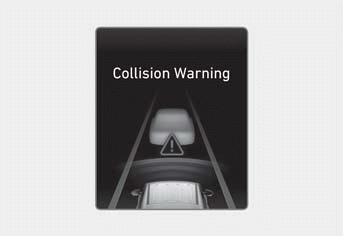
While Smart Cruise Control is operating and the risk of collision with the vehicle ahead is high, the collision warning message may appear on the instrument cluster and a warning sound is heard.
WARNING
Smart Cruise Control may not warn you of a collision if:
- The distance to the vehicle ahead is short, or the speed of the vehicle ahead is faster or similar to your vehicle.
- The speed of the vehicle ahead is very slow or the vehicle has stopped.
- The accelerator pedal is depressed immediately after Smart Cruise Control is turned on.
Always maintain a safe distance from the vehicle ahead and adjust your vehicle speed to the road conditions.
WARNING
Smart Cruise Control does not replace proper and safe driving.
To avoid serious injury or death:
- Always maintain a safe distance from the vehicle ahead and adjust your vehicle speed to the road conditions. Smart Cruise Control may not recognize unexpected and sudden situations or complex driving situations.
- Keep Smart Cruise Control turned off when not in use to avoid unintentional speed setting.
- Do not open the door or leave the vehicle while Smart Cruise Control is operating, even if your vehicle has stopped.
- Always check the vehicle speed and the distance to the vehicle ahead after it has been selected.
- Maintain a safe distance depending on the road condition and vehicle speed. If the distance to the vehicle ahead is too close when driving at high speed, it may result in a serious collision.
- When maintaining a distance from the vehicle ahead, if the vehicle ahead is no longer detected, Smart Cruise Control may suddenly accelerate to the set speed.
- Vehicle speed may decrease or increase when driving uphill or downhill.
- Always be aware of situations such as when a vehicle suddenly cuts in.
- When towing a trailer or another vehicle, turn off Smart Cruise Control.
- Turn off Smart Cruise Control when your vehicle is being towed.
- Smart Cruise Control may not operate normally if there is interference from strong electromagnetic waves.
- Smart Cruise Control may not detect obstacles ahead and may cause a collision.
- Vehicles frequently changing lanes may cause a delay or may cause Smart Cruise Control to react to a vehicle in the adjacent lane.
- When another system's warning message appears or a warning sound is heard, Smart Cruise Control may not warn you.
- You may not hear the Smart Cruise Control warning sound if the surrounding environment is too noisy.
- The vehicle manufacturer is not responsible for any traffic violations or collisions caused by you.
- Set your vehicle speed to the speed limit on the road and use the appropriate unit (mph or km/h) for your country.
- Smart Cruise Control may not operate for 15 seconds immediately after your vehicle is started or when the front view camera and front radar are being initialized.
Information
You may hear sounds when Smart Cruise Control brakes your vehicle. This is normal and does not indicate a malfunction.
Test yourself
A quick Hyundai Tucson LM quiz: every answer comes with an explanation and a link to the manual page.
Was this page helpful?