Kia Sorento: Rear View Camera (if equipped)
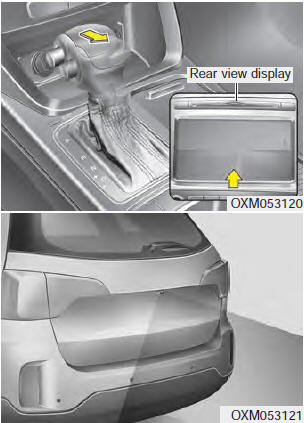
The rear view camera is activated when the ignition is ON and the shift lever is in the R (Reverse) position.
This system is an optional system that shows the area behind the vehicle on the screen when driving in reverse, if the vehicle is not equipped with a navigation system, through the rear view mirror.
The rear view camera can be turned off by pressing the ON/OFF button when the rear view camera is on.
To turn the camera on again, press the ON/OFF button again when the ignition switch is ON and the shift lever is in the R (Reverse) position. The camera will also turn on automatically whenever the ignition is turned OFF and back ON.
WARNING
- This system is only a supplemental function. It is the driver's responsibility to always check the inside/outside rear view mirrors and the area behind the vehicle before and while backing up, as there is a blind spot that the camera cannot see.
- Always keep the camera lens clean. If the lens is covered with foreign substances, the camera may not operate properly.
Hazard Warning Flasher
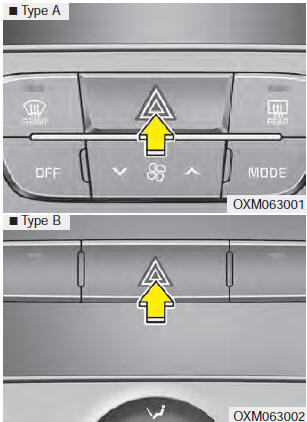
The hazard warning flasher should be used whenever you feel it is necessary to stop the vehicle in a dangerous location. When you must make such an emergency stop, always pull off the road as far as possible.
The hazard warning flasher is activated by pressing the hazard warning switch. Both turn signal indicators will flash. The hazard warning flasher will operate even when the key is not in the ignition switch.
To turn off the hazard warning flasher, press the switch again.
Test yourself
A quick Kia Sorento Owner's Manual quiz: every answer comes with an explanation and a link to the manual page.