Basic navigation: Operation
I - RADIO FUNCTION FEATURES
1 - Radio
The tuner uses three selection modes, shown on the display and accessed from the navigation radio front panel:
- manual mode (Manu),
- preset mode (Preset),
- alphabetical list mode (List).
2 - Compact disc player
The compact disc player can play standard compact discs and any audio tracks on CD-ROMs.
Playback can be in sequence or random order.
To listen to a compact disc during navigation guidance:
- insert the navigation CD-ROM,
- select guidance,
- wait for the route calculation to finish (hourglass disappears from the display),
- eject the CD-ROM and insert the compact disc.
3 - Compact disc changer controller
A compact disc changer can be connected to the navigation radio. In this case, it may be necessary to enter a security code (Radio chapter, Radio Security, page 86A-3).
The compact disc changer must be installed with the navigation radio disconnected.
The compact disc changer is detected automatically when the navigation radio is reconnected, and the source becomes available.
4 - Thermal protection
If the system temperature is too high for proper operation, the volume is automatically reduced (the volume shown on the display is not changed).
5 - Volume management
Each time the navigation radio is switched on, the volume is set to the level it had when switched off, with a maximum volume of 15.
6 - Notes
- The " mute " function stops compact disc playback.
- " Traffic information " messages are played at the same volume as the selected source. If the volume is changed during a message, that volume is stored until the system goes to standby.
- Navigation messages are played at volume 7.
If the volume is changed (between 0 and 10) during a message, that volume is stored.
- In the event of a short circuit on the speaker lines, the amplifier is switched off automatically.
The sound volume can be corrected according to vehicle speed. Select the desired volume change curve in " expert " mode: speed 5 for maximum change, 0 to cancel the change.
II - NAVIGATION FUNCTION FEATURES
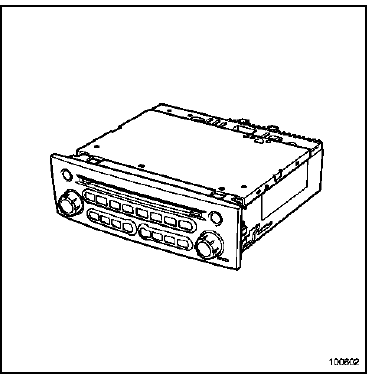
This navigation aid system guides the vehicle driver using voice synthesis and the navigation radio display.
This system allows:
- travelling to a specific location:
- street, avenue, boulevard, etc.,
- hotel,
- public services,
- service station, garage,
- etc.
- choosing a guidance criterion:
- optimised for travel time,
- giving priority to main or secondary roads.
- displaying the distance and travel time.
1 - CD-ROM features
The navigation CD-ROM contains:
- a road map,
- voice messages in twelve languages,
- an operating software update (depending on CD-ROM version).
2 - Simulation mode
The system is equipped with a demonstration mode.
Press the " settings ", " menu " and " OK " keys, then select " demo ".
WARNINGThe demonstration mode must be deactivated for the system to operate correctly. Demonstration mode is deactivated each time the ignition is switched off.
3 - Notes:
- If the vehicle has been transported by train or on a car ferry, the navigation system may take several minutes to find its exact position again (see " calibration ").
- If the vehicle battery has been disconnected, the system may take up to 20 minutes to find its exact position. The vehicle must then be outdoors (system switched on so that it can receive satellite signals via the GPS antenna).
- The unit can also operate without valid GPS data. In this case, position determination may be less accurate.
Test yourself
A quick Renault Megane quiz: every answer comes with an explanation and a link to the manual page.