List screen operation
 Select to scroll to the next
or previous page.
 Appears to the right of
titles, the complete titles are too long for the display. Select this button to scroll the title.
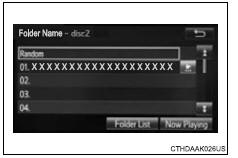
Turn the “tune•scroll” knob to move the cursor box to select a desired item from the list, and press the knob to play it. The track that is being played is highlighted.
To return to the top screen, select “now playing” on the list screen.
Selecting, fast-forwarding and reversing tracks/files/songs Selecting a track/file/songPress the “seek >” button or “< track” button, or turn the “tune•scroll” knob to select the desired track/file/song number.
To fast-forward or reverse, press and hold the “seek >” button or “< track” button.
Selecting a track/file/song from the track/file/song list- Select “browse” or cover art.
- Select the desired track/file/ song.
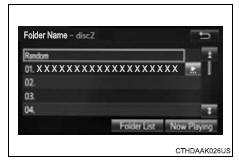
When an mp3/wma/aac disc or usb memory device is being used, the folder can be selected. When a bluetooth® device or ipod is being used, the album can be selected.
According to the audio device, the following is displayed.
| Audio source | List name |
| Audio cd | Track |
| Mp3/wma/aac disc, usb | Folder, album, artist, song, composer, genre, file |
| Bluetooth® | Album, track |
| Ipod | Playlist, artist, album, genre, audiobook, composer, song, video, podcast |
Test yourself
A quick Toyota RAV4 quiz: every answer comes with an explanation and a link to the manual page.