Android Auto
(Option/accessory.)
Android Auto1 lets you listen to music, make calls, get driving directions and use apps customized for your vehicle from an Android device. Android Auto can be used with selected Android devices.
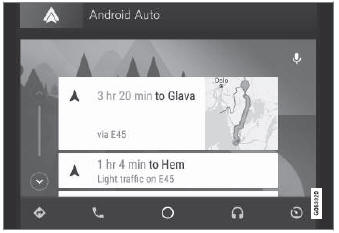
For information on supported apps and compatible Android devices, please go to www.android.com/auto/. For third-party apps, see Google Play. Please note that Volvo is not responsible for the content of Android Auto.
Android Auto starts from the app view. After Android Auto has been initially started, the app will start automatically the next time the device is connected. The automatic start setting can be deactivated in the settings.
When using navigation guidance provided by Android Auto, navigation will only be shown on the center display and not in the instrument panel or head-up display.
Android Auto can be controlled from the center display, with the right-side steering wheel keypad or by using voice commands. Press and hold the steering wheel button  to start the Google Assistant and press briefly to deactivate it.
By using Android Auto, you acknowledge the following: Android Auto is a service provided by Google Inc. and subject to its terms and conditions. Volvo Cars is not responsible for Android Auto or its features or applications. When you use Android Auto, your car transfers certain information (including its location) to your connected Android phone. You are fully responsible for your and any other person's use of Android Auto.
1 Availability may vary depending on market.
Test yourself
A quick Volvo XC90 quiz: every answer comes with an explanation and a link to the manual page.