Operation via controller
Operation with the iDrive controller is explained clearly in this section. Here you will learn how to open menus, activate functions and switch between screens in the BMW 5 Series (VII generation / G30 & G31). The notes on text entry and on navigating alphabetical lists are particularly useful. These instructions ensure an intuitive and smooth user experience on every journey.
Open main menu
 Press the button.
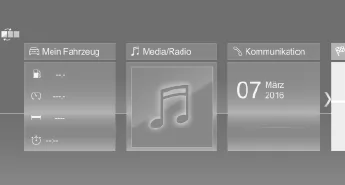
The main menu is displayed.
All iDrive functions can be accessed via the main menu.
Customizing the main menu
- Press the button twice.
Selecting a menu item
Highlighted menu items can be selected.
 Turn the controller until the desired menu item is highlighted.
- Press the controller.
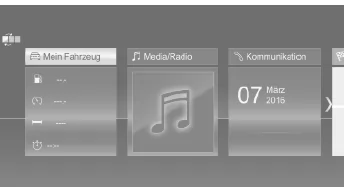
Menu items in the Owner's Manual
In this Owner's Manual, menu items that can be selected are shown in quotation marks, e.g. "iDrive Settings".
Switching between tiles
After selecting a menu item, e.g. "iDrive Settings", a new tile is displayed.
- Tilt the controller to the left.
The current tile closes and the previous tile is displayed.
 Press the button.
The previous tile is reopened.
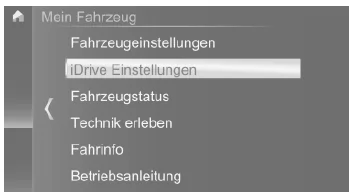
The arrow indicates that further tiles can be opened.
Call up recently used menus
The recently used menus can be displayed.
 Press and hold the button.
Call up the Options menu
 Press the button.
The "Options" menu is displayed.
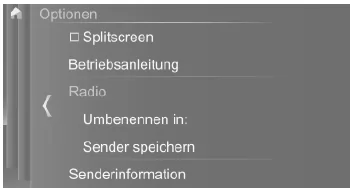
The Options menu consists of several areas:
- Display settings, e.g.
Making settings
- Select a field.
- Turn the controller until the desired setting is displayed.
- Press the controller.
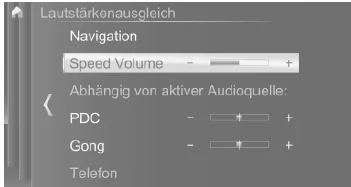
Activating/deactivating functions
Some menu items have a check box in front of them.
The check box indicates whether the function is activated or deactivated. Selecting the menu item activates or deactivates the function.
 Function is activated.
 Function is deactivated.
Entering letters and numbers
General
Letters and numbers can be entered using the controller or the touchscreen.
The keyboard display changes automatically.
Entry
- Turn the controller: select letter or number.
 : Confirm entry.
Delete
| Symbol | Function |
 |
Press the controller: delete letter or number. |
 |
Press and hold the controller: delete all letters or numbers. |
Switching between upper/lower case, numbers and special characters
Depending on the menu, you can switch between entering upper-case and lower-case letters, numbers and special characters.
| Symbol | Function |
 |
Enter letters. |
 |
Enter numbers. |
 |
Switch between upper and lower case. |
Input matching
When entering names and addresses, the selection is narrowed down step by step with each letter entered and, if applicable,
completed.
Entries are continuously compared with the data stored in the vehicle.
- Only letters for which data is available are offered during entry.
- Destination search: Place names can be entered in all languages available in iDrive.
Operating alphabetical lists
For alphabetical lists with more than 30 entries, the letters for which an entry exists can be displayed at the left edge.
- Turn the controller quickly to the left or right.
All letters for which an entry exists are displayed at the left edge.
Operation via the controller in the BMW 5 Series G30/G31 shows how modern technology and simple handling can be combined ideally. With the controller, menus can be operated precisely, settings can be made and functions can be activated – even while driving.
Thanks to the flexible adaptation of the main menu and the logical arrangement of the options, the BMW 5 Series G30/G31 remains a leader in user-friendliness. In this way, every interaction with the vehicle becomes a comfortable experience.
FAQQuestion 1: Can I customize the main menu in the BMW 5 Series G30?
Answer: Yes, the menu items can be moved so that you can quickly access the most important functions.
Question 2: How do I activate functions using the controller?
Answer: Functions can be activated or deactivated by selecting the menu item with the controller – a check box next to the menu item indicates the status.
Test yourself
A quick BMW 5 quiz: every answer comes with an explanation and a link to the manual page.