Route information
The Route information menu provides the following information:
Route list
Current position information
Destination information
Current route overview
Route list

All roads of the calculated route are displayed with their corresponding distances.
Current position information
The following information about the current position is shown on the display:
Locality
Street
Longitude
Latitude
Map section
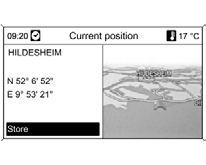
Using Store, the current position is saved to the address book. To do this, assign a name to the address using the alphabetic input function.
Destination information
The following information about the destination is shown on the display:
Locality
Street
Longitude
Latitude
Map section
The display will look different if the Points of Interest or Destination from Map option is selected.
Using the Store option, the destination is saved to the address book. To do this, assign a name to the address using the alphabetic input function.
Current route overview
The following information about the current route is shown on the display:
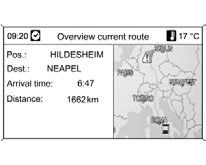
Position
Destination
Arrival time
Distance
Map section
Test yourself
A quick Chevrolet Cruze quiz: every answer comes with an explanation and a link to the manual page.