Dimmer control
This system allows you to manually adjust the light intensity of the driver's area according to the outside brightness.
With buttons
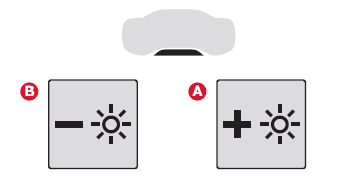
With the lights on, press button A to increase the lighting intensity or button B to decrease it.
As soon as the lighting reaches the desired intensity, release the button.
With CITROËN Connect Radio
 ► Press this key to select the Settings menu.
 ► Select "Brightness".
 ► Adjust the brightness using the arrows or by moving the slider.
The adjustment is applied instantly.
► Press outside the adjustment window to exit.
You can also switch off the screen:
► Press this key to select the Settings menu.
 ► Select "Dark".
The screen switches off completely.
► Press the screen once more (anywhere on the surface) to switch it on.
With CITROËN Connect Nav
With the lights on:
► Press this button to select the Settings menu.
► Select "OPTIONS".
 ► Select "Screen settings".
► Select the "Brightness" tab.
 ► Adjust the brightness of the instrument cluster and the screen using the arrows or by moving the slider.
 ► Press this key to save and exit.
You can also switch off the screen:
► Press this button to select the Settings menu.
► Select "Switch off screen".
The screen switches off completely.
► Press the screen once more (anywhere on the surface) to switch it on.
Test yourself
A quick Citroen C5 Aircross quiz: every answer comes with an explanation and a link to the manual page.