Trip computer
Trip computer 1
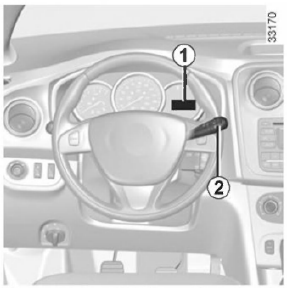
Information display selection button 2
The displayed information depends on the vehicle and the country.
Briefly press button 2 to display the following information in turn:
- total odometer,
- trip odometer,
- fuel consumed,
- average fuel consumption,
- instantaneous fuel consumption,
- estimated range on the fuel remaining in the tank,
- distance travelled,
- average speed,
- oil change interval,
- speed limiter,
- hour,
- outside temperature.
See the table on the following pages showing examples of the displayed information.
Trip odometer reset button
To reset the trip odometer, select "Trip odometer".
Press and hold button 2.
Interpreting the values shown on the display after driving a few kilometres from pressing the Top Depart button
The values for average fuel consumption, estimated range on the fuel remaining in the tank and average speed become more accurate and representative as the distance driven since the Top Depart button was last pressed increases.
During the first kilometres after pressing the "Top Depart" button, the estimated range on the fuel remaining in the tank may increase while driving. This is because this value takes into account the average fuel consumption recorded since the Top Depart button was last pressed.
Average fuel consumption, however, decreases when:
- the vehicle has stopped accelerating;
- the engine has reached its normal operating temperature (the Top Depart button was pressed while the engine was still cold);
- after driving in town, the vehicle leaves the town and continues on an open road.
If one of the memories is overwritten, its contents are automatically erased.
The information shown below DEPENDS ON THE EQUIPMENT AND THE COUNTRY FOR WHICH THE VEHICLE IS INTENDED.
Selection examples |
Interpreting the displayed information |
|
Display A |
Display B |
|
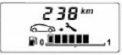
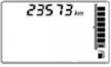 | 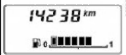 | a) Total odometer. |
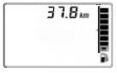 | 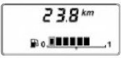 | b) Trip odometer. |
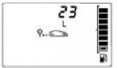 | - | c) Fuel consumed since the Top Depart button was last pressed. |
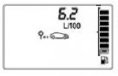 | - | d) Average fuel consumption since the Top Depart button was last pressed. This value is displayed after driving 400 metres and takes into account the distance travelled and the fuel consumed since the Top Depart button was last pressed. |
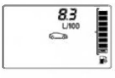 | - | e) Instantaneous fuel consumption. |
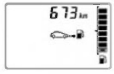 | - | f) Estimated range on the fuel remaining in the tank. This value takes into account the average fuel consumption recorded since the "Top Depart" button was last pressed. This value appears on the screen after driving about 400 metres. |
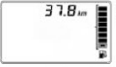 | - | g) Distance travelled since the Top Depart button was last pressed. |
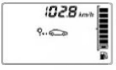 | - | h) Average speed since the Top Depart button was last pressed. This value appears on the screen after driving about 400 metres. |
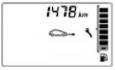 |  | i) Distance remaining to the next oil change. There are several possibilities:
Take the vehicle for an oil change as soon as possible. |
| Note: depending on the vehicle version, the distance remaining to the next oil change is adjusted to your driving style (frequent short trips at low speed, "door-to-door" driving, prolonged idling, towing a trailer, etc.). The distance remaining to the next oil change may therefore decrease faster than the actual distance driven. The oil change frequency depends on the vehicle service programme: refer to the information in the vehicle service book. Resetting the initial values: to reset the distance remaining to the next oil change, press and hold the reset button continuously for 10 seconds, until the oil change frequency information starts to light up steadily. |
||
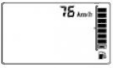 | - | j) Speed limiter or cruise control set speed (if activated). See the section "Speed limiter" in chapter 2. |
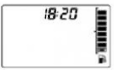 | 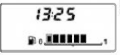 | k) Time |
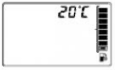 | - | I) Outside temperature |
Test yourself
A quick Dacia Sandero / Logan quiz: every answer comes with an explanation and a link to the manual page.