Phone
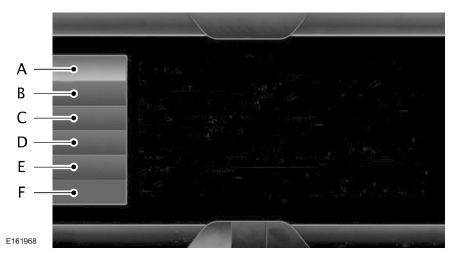
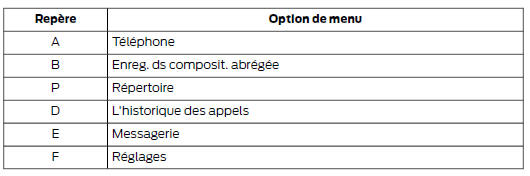
Hands-free calling is one of the main functions of SYNC. Once your mobile phone is paired, you can access many options through the touchscreen or voice commands. Although the system supports a wide range of functions, many of them depend on your mobile phone's compatibility.
Most cell phones with Bluetooth wireless technology support at least the following functions:
- answering an incoming call;
- ending a call;
- dialing a phone number;
- call waiting notification;
- caller ID.
Other functions, such as Bluetooth text messaging and automatic phonebook download, depend on your phone's compatibility. To check the compatibility of your mobile phone, refer to your phone's user guide or visit your local Ford website.
Initial Pairing of a Mobile Phone
WARNING
Failure to pay attention to the road while driving may cause loss of vehicle control, a collision and injury. We strongly recommend that you exercise extreme caution when using any device that may take your attention off the road. Safe driving of your vehicle is your first responsibility. We advise against using portable devices while driving and encourage you to use voice command systems whenever possible. Make sure you are familiar with all applicable laws that may affect the use of electronic devices while driving.
To use the phone functions of SYNC, you must first pair your Bluetooth mobile phone with the SYNC system.
This allows you to use your phone in hands-free mode.
Touch the upper left corner of the touchscreen:
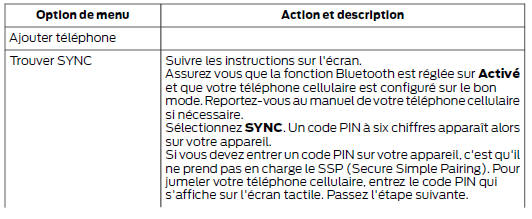
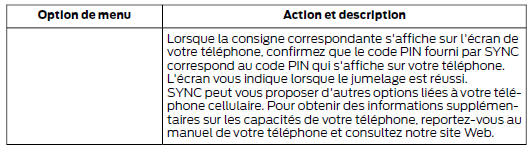
Pairing Additional Cell Phones
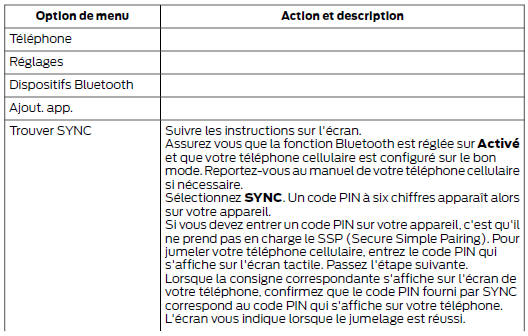
Make sure that Bluetooth is set to On and that your mobile phone is set to the correct mode.
Refer to your device's manual if necessary.
To pair another mobile phone, select:

Making a Call

Press the voice command button, then say a command similar to the following:
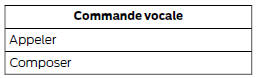
You can say the name of a person in your contacts or say a number to dial. For example, “Call Jane” or “Dial 867-5309”.
 To
end the call or exit phone mode, press and hold the Phone button.
Receiving a Call
When you receive a call, a tone sounds. Call information is shown on the screen if available.

To accept the call, select:

Note: you can also accept the call by pressing the Phone button on the steering wheel.

To reject the call, select:
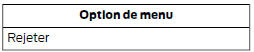
Note: you can also reject the call by pressing the Phone button on the steering wheel.
You can ignore the call by doing nothing. SYNC then records it as a missed call.
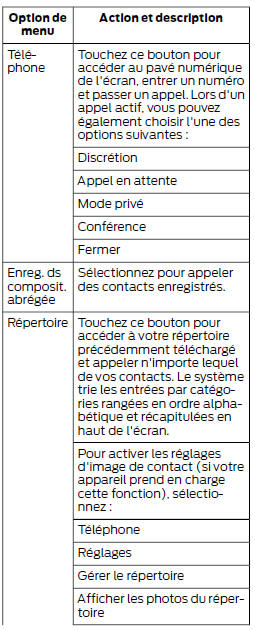
Phone Menu Options
Touch the upper left corner of the touchscreen to select one of the following options:
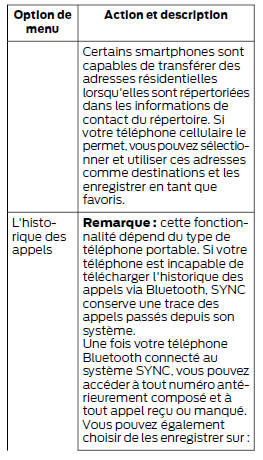
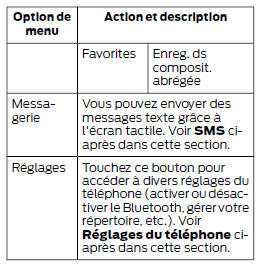
Text Messages
Note: downloading and sending text messages via Bluetooth depend on phone compatibility. Note: some text messaging functions are speed-dependent and are not available when your vehicle exceeds 8 km/h. Note: SYNC does not download text messages that have already been read on your mobile phone.
You can send and receive text messages via Bluetooth, have them read aloud, and translate text message abbreviations (for example, LOL).
Touch the upper left corner of the screen, then select:

Composing a Text Message
Note: this function is speed-dependent. It is not available when your vehicle exceeds 8 km/h. Note: downloading and sending text messages via Bluetooth depend on phone compatibility.
To compose and send a text message, select:
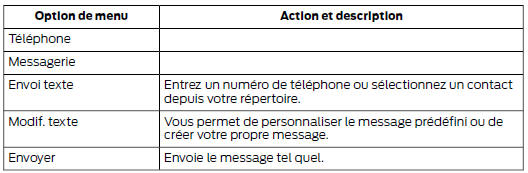
You can then view the text message, check the recipients or update the message list, and send it to a connected device (for example, a USB flash drive).
Text Message Options
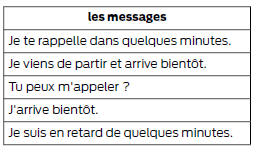
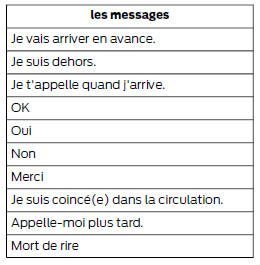
Receiving a Text Message
When you receive a new message, a tone sounds and a pop-up appears on the screen showing the caller's name and ID if supported by your phone. You can select:
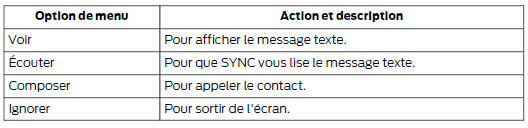
Phone Settings
To display the phone settings menu, select:
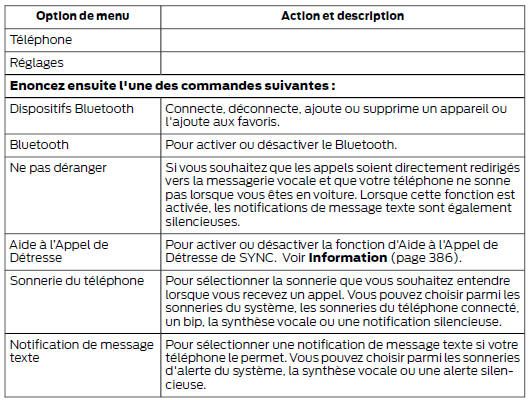

Phone Voice Commands

Press the voice command button, then say one of the following voice commands or a similar command:

Test yourself
A quick Ford Mondeo quiz: every answer comes with an explanation and a link to the manual page.