Driving Your Vehicle
System Settings and Operation
In this manual: Driving Your Vehicle
~1min read
System Settings
The Driver Attention Warning can be activated in the user settings menu on the cluster LCD by following the procedure described below.
1. Turn the ignition switch to the ON position.
2. Select "User Settings → Driver Assistance → Driver Attention Warning" on the cluster LCD.
The system stops operating when the setting is turned off. However, if the engine is turned off and then back on, the system maintains the previous state.
Driver Attention Level
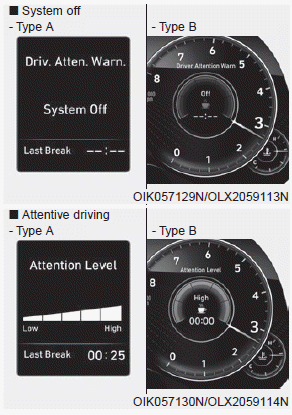
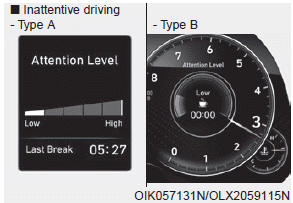
- The driver can monitor their driving conditions on the cluster LCD display. The DAW screen will appear when you select the "Assist Mode" tab (
 ) on the LCD display if the system is activated. For more details, refer to "LCD Modes" in Chapter 3.
- The driver attention level is displayed on a scale from 1 to 5. The lower the number, the more inattentive the driver is.
- The level decreases when the driver does not take a break for a certain period of time.
- The level increases when the driver drives attentively for a certain period of time.
- When the driver turns on the system while driving, it displays the "Last Break Time" and level.
Take a Break
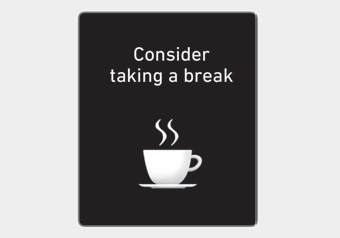
- The "Consider taking a break" message appears on the cluster LCD display and an audible warning suggests that the driver take a break when the driver attention level is below 1.
- The Driver Attention Warning (DAW) will not suggest a break when the total driving time is less than 10 minutes.
CAUTION
If any other warning sound, such as the unbuckled seat belt warning chime, has already been generated, the Driver Attention Warning (DAW) warning may not sound.
Test yourself
A quick Hyundai Palisade quiz: every answer comes with an explanation and a link to the manual page.
Was this page helpful?