System Settings and Operation
System Settings
- With the engine start/stop button in the ON or START position, Highway Driving Assist can be activated by selecting "All Menus → Settings → Vehicle → Driver Assistance → Highway Driving Assist" from the Settings menu on the infotainment system screen. Deselect the item to deactivate the system.
- If the engine is turned off and then turned back on, the system retains the last setting.
Operating Conditions
Select "Highway Driving Assist" from the Settings menu on the infotainment system screen and make sure the following conditions are met for the system to operate.
- Driving on a Major Highway
- Smart Cruise Control is operating - If Smart Cruise Control is turned on, the Highway Driving Assist will be in the READY state.
 The indicator on the cluster will illuminate white.
- Vehicle speed is below 95 mph (153 km/h)
If all of the above conditions are met, the system is ON and the indicator on the cluster will illuminate green.
Steering Wheel Control
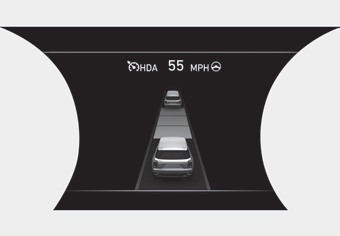
Steering
If the vehicle detects both lane markings (lane color is white), the indicator light will change from white to green. This indicates that steering wheel control is active.
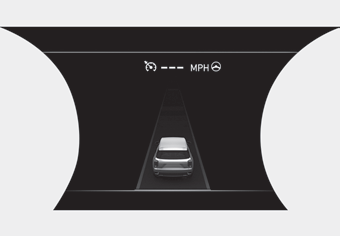
Temporary Deactivation
 The indicator light changes from green to white when steering wheel control is temporarily deactivated. Even if the steering wheel is not controlled, the distance to the vehicle ahead will be maintained.
Speed Setting
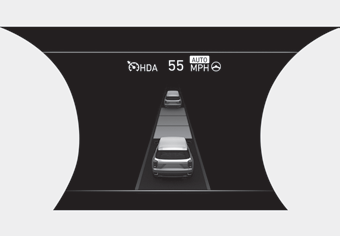
Automatic Speed Setting Mode
The system enters automatic speed setting mode when:
1. Operating conditions are met
-  the indicator illuminates green
2. The Smart Cruise Control set speed and the highway speed limit match
If the system switches to automatic speed mode, the symbol will turn green and a chime will sound.
When the highway speed limit changes, the set speed automatically changes to the changed speed limit.
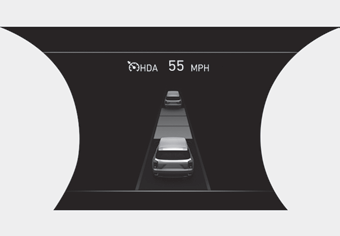
Manual Speed Setting Mode
If the speed is set manually using the RES+ or SET- switch on the steering wheel, the set speed on the cluster will turn white and the "AUTO" symbol will disappear.
Test yourself
A quick Hyundai Palisade quiz: every answer comes with an explanation and a link to the manual page.